Everything You Need to Know About Automatic Image Retouching for Businesses
16 Mar 2022Kayla Chang5 min read
- Learn
Image retouching is a huge part of any portrait or photo business. There are different levels of retouching that range from high fashion airbrushing to natural enhancements. In this blog, we’ll discuss the role of image retouching, how it can help your business, and how to automate it.
What Is Retouching in Photography?
Image retouching refers to any cosmetic image enhancement that is done on a portrait such as skin smoothing, eye enlargement, dark circle removal, and more. This is meant to remove any imperfections and improve the appearance of the subject in the photo.
Our Perfectly Clear Imaging Suite offers automatic retouching for your photos. Retouching corrections can be automatically applied to any portrait a face is detected in.
The Image Retouching Controversy
There are different levels of retouching, and some controversy surrounds the topic. We’re here to tell you that just because an image is retouched doesn’t mean your portrait needs to look like a smooth-skinned portrait in a fashion magazine (although it can if that’s the result you’re looking for!).
Retouching can be subtle to bring out the best in the photo. Sometimes, the subject won’t even know that retouching was involved! We recommend using some subtle retouching corrections when using our technology such as Dark Circle Removal. This makes your subject look less tired and removes any shadows under the eyes. Oftentimes, this will actually create a more accurate representation of your subject since no one sees themselves as tired or dull.
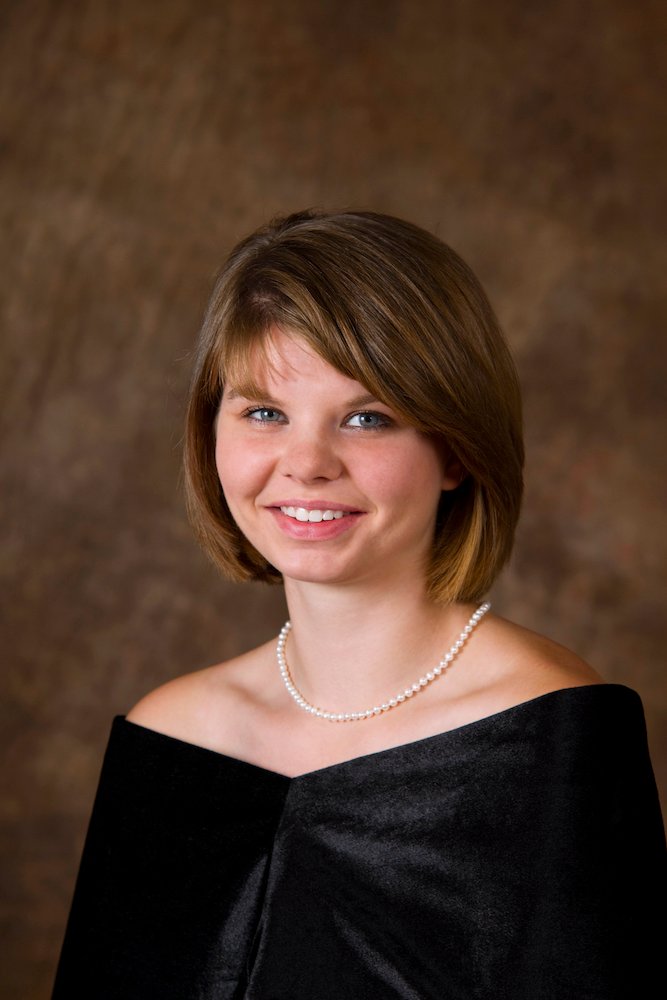
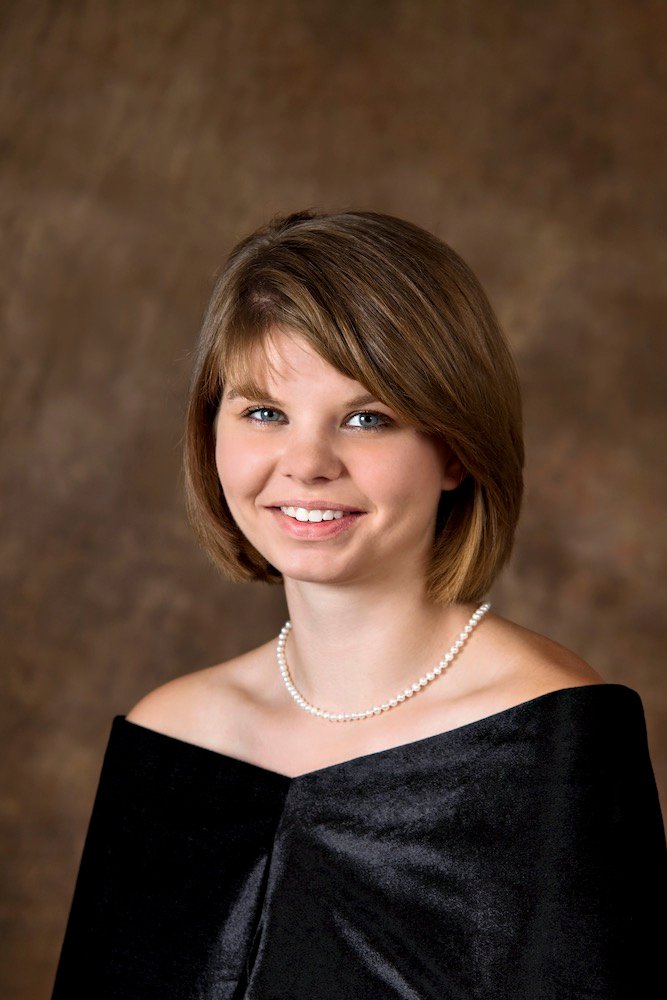
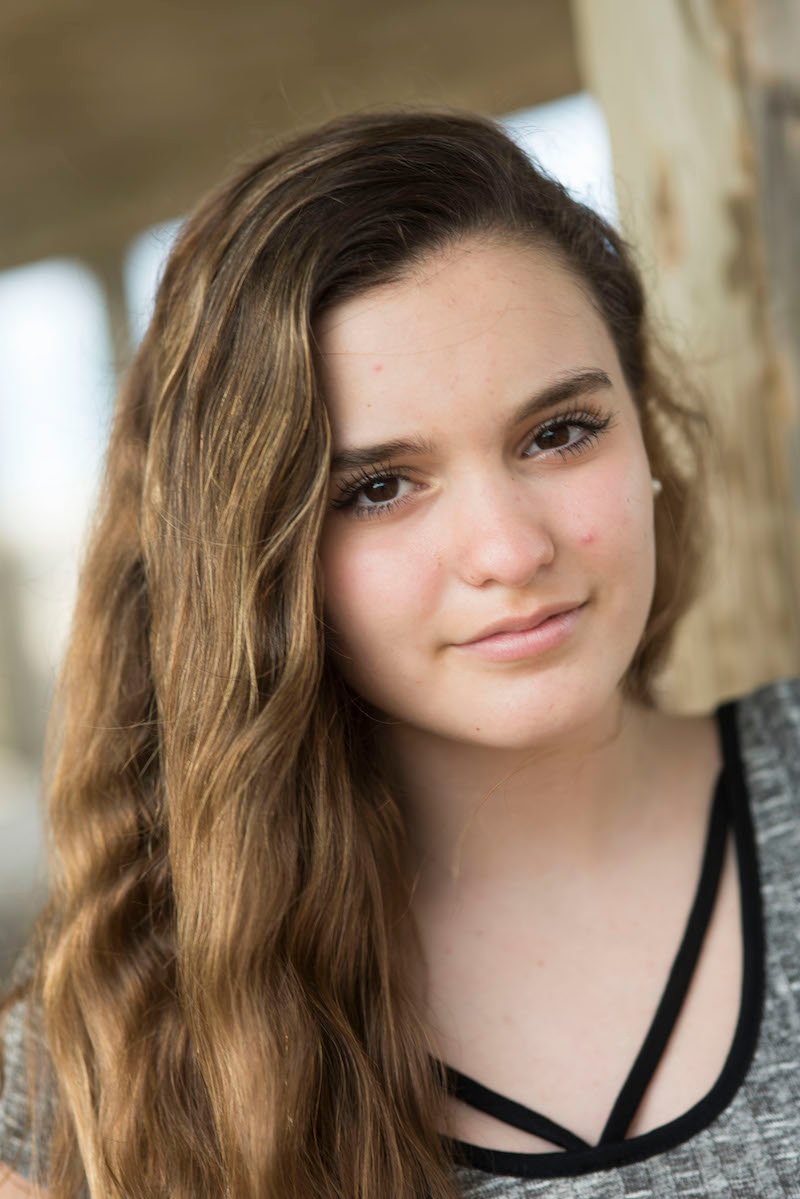
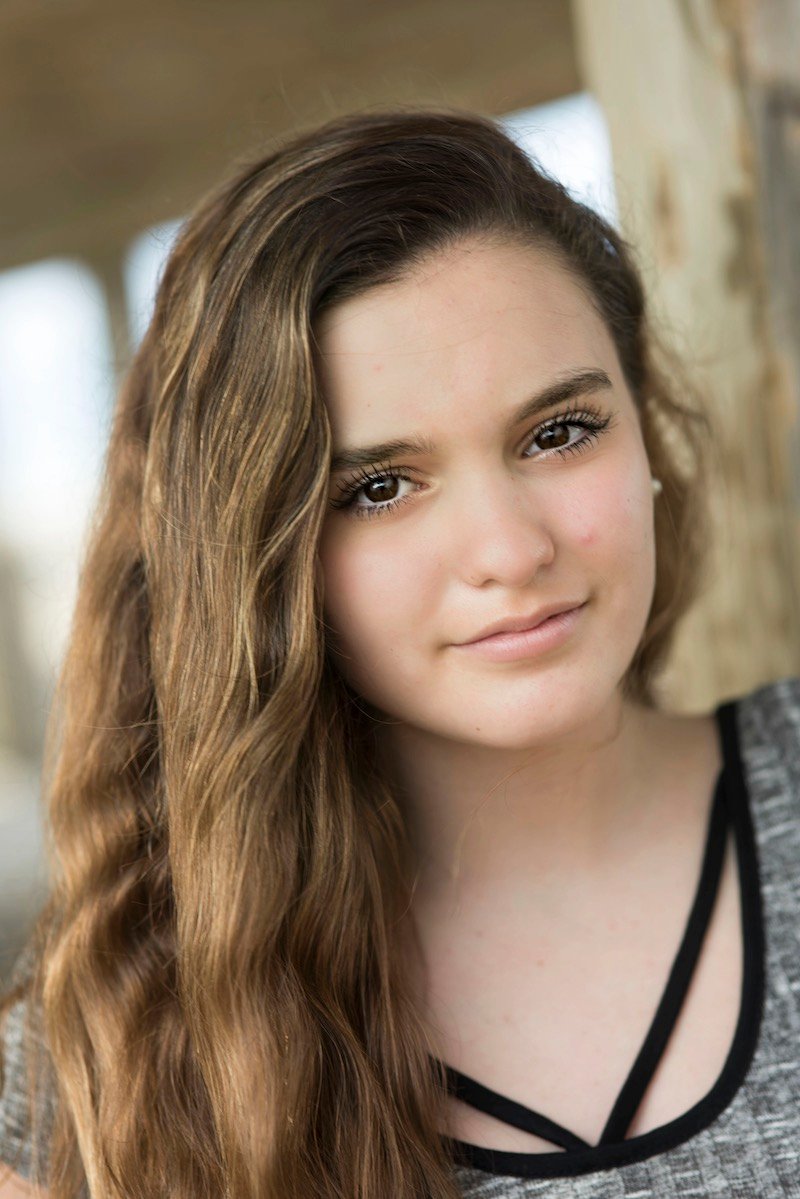
Here, you can see that subtle retouching, Skin Tone Accuracy, and some other automatic corrections have been applied to this senior portrait through Perfectly Cler
Why Is Image Retouching Important for My Business?
In summary, image retouching can help your business:
- •Sell more photos. If your subject likes the way they look, they are more likely to purchase the image or become a repeat customer. For example, Norwegian Cruise Line uses some of Perfectly Clear’s automatic retouching for their cruise ship passenger portraits. In just one single summer, they saw a 12% increase in sales. Because their passengers liked how they looked, more people purchased their photos.
- •Upsell retouching as an additional service. It is common practice to charge extra for retouching, and with Perfectly Clear’s automatic retouching, you can provide this service within seconds.
- •Stand out against your competition. Is your competition offering retouching? Use this as an opportunity to stand out or get on their level.
- •Keep your customers happy. If you want to give your customers the best image you possibly can, make sure they look their best!
Perfectly Clear’s Automatic Retouching
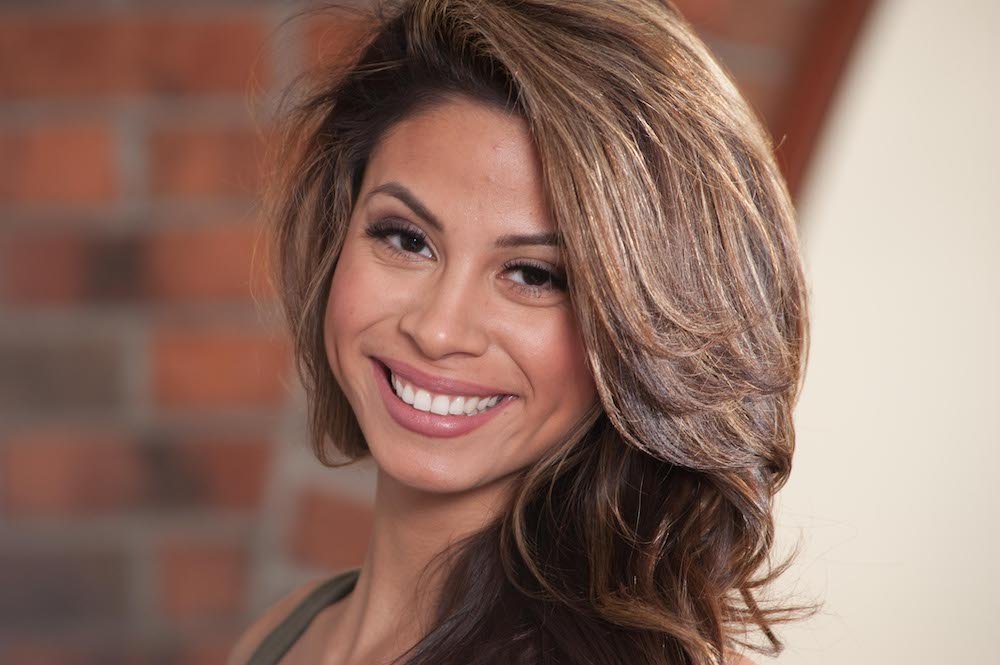
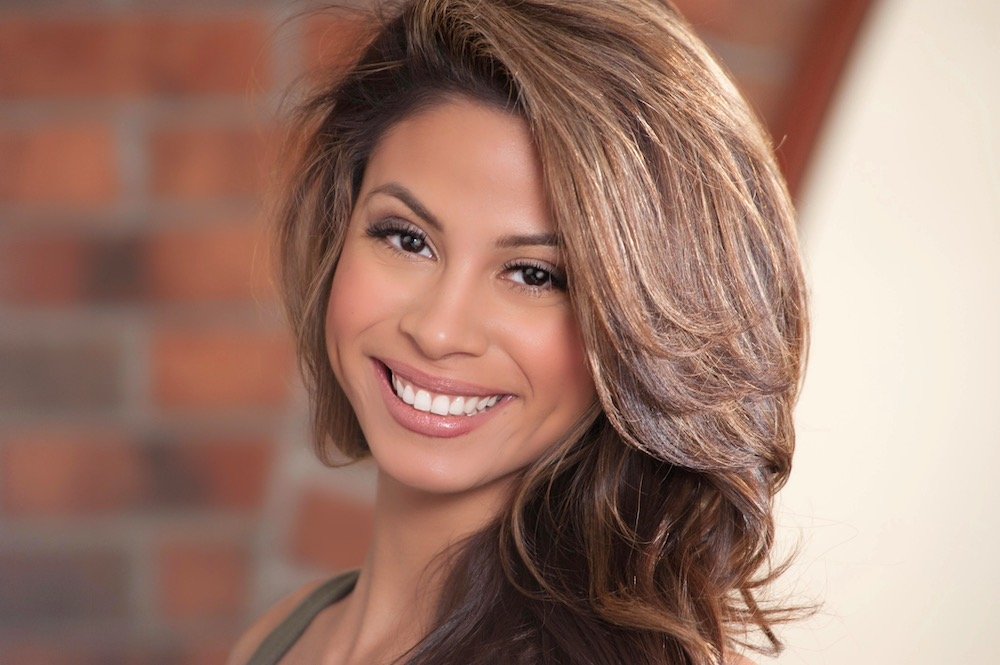
If you’re looking for image retouching services, you came to the right place. Perfectly Clear offers automatic image retouching. You can use this tool to batch process as many images as you’d like with a single retouching preset, or opt to look at each image individually and make tweaks as needed. Our automatic retouching corrections are as follows:
Perfect Skin
Skin Tone Accuracy – Cameras are notorious for bringing out red and orange in skin tones, especially in dark skin. Our AI-powered Skin Tone Accuracy ensures the most accurate color across all shades of skin tones.
Skin Smoothing – You control the amount of automatic skin smoothing your subject gets. Whether you’re looking for supermodel skin or a slight retouch, we can help.
Shine Removal – Get rid of that pesky shine on a subject’s face caused by oily skin or flash!
Blemish Removal – Perfectly Clear can automatically remove blemishes and smooth them over.
Skin Toning – If a portrait needs color correction, we have you covered.
We would also like to note that Perfectly Clear’s automatic retouching is meant to keep natural features visible such as moles and freckles.
Perfect Eyes
Auto Redeye Removal – Goodbye, redeye!
Catchlight – No catchlight? No problem. We can add a catchlight reflection to the eyes.
Eye Enhance – Eye Enhance brightens and sharpens eyes without distorting any other aspects of the photo, helping to bring the portrait to life.
Dark Circle Removal – Automatically remove dark circles under the eyes. Look more rested automatically!
Perfect Face
Face Slimming – If a photo has been taken with a wide angle lens, there often is distortion to the face. The Face Contouring slider can fix that! Additionally, you can use this for those times when a slimmer looking face is desired.
Teeth Whitening – The teeth whitening option automatically finds teeth in the photo and brightens them, saving a trip to the dentist. You can decide how much teeth whitening the subject will get, so it will always look natural.
Blush – Warm the cheeks with some blush. There are 12 different colors to choose from, so there’s a shade for every skin tone.
Lip Sharpening – Add extra detail to your subject’s lips.
Outsourced photo retouching rates per image range from about $1.50 to $20 USD depending on the level of retouching and the location of the retoucher. Depending on your choice of implementation, the highest per image charge of Perfectly Clear is just $0.10 per image, and you get so much more than just retouching!
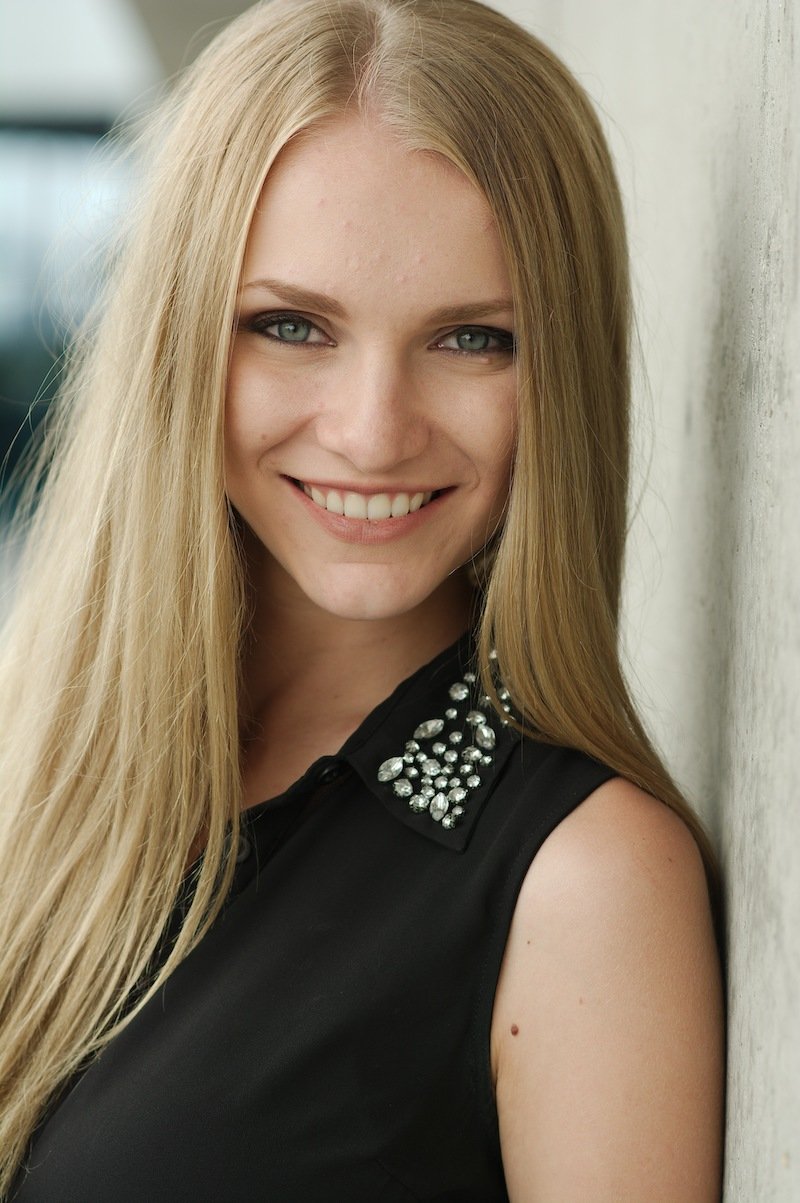
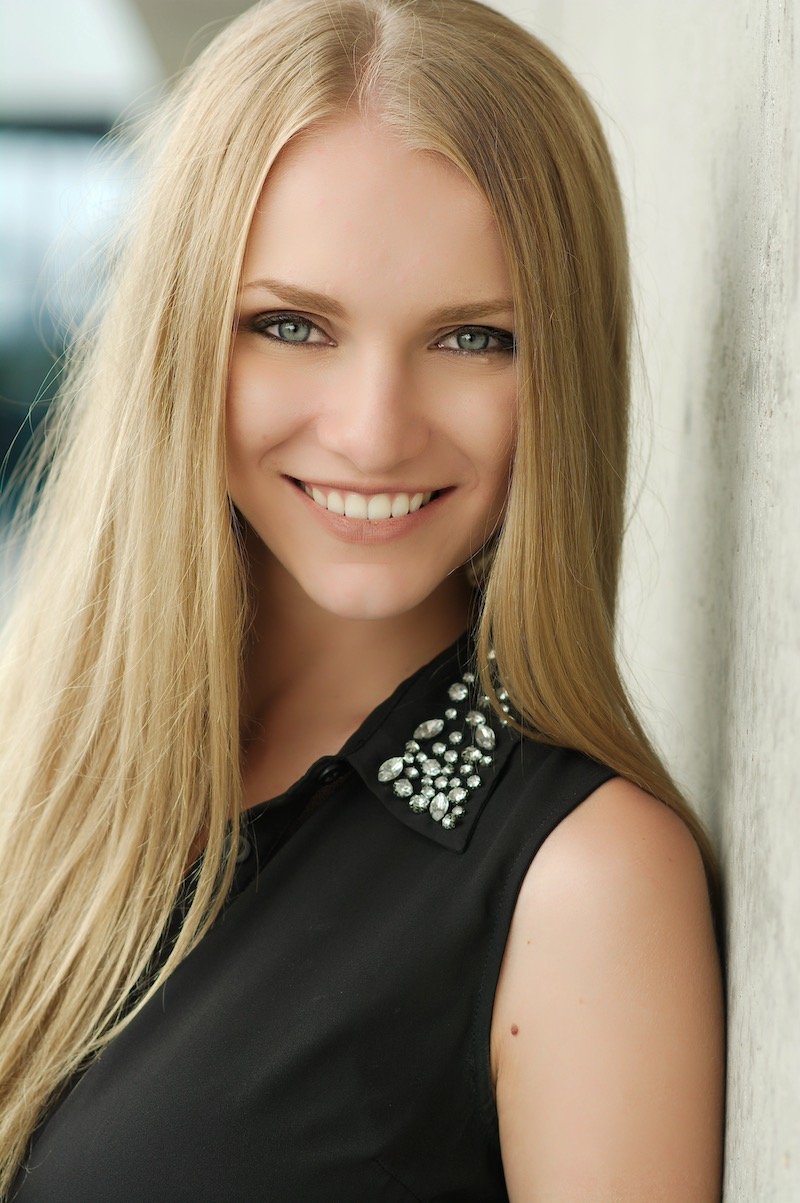
Perfectly Clear’s automatic image correction adds up to 40 automatic corrections to each image, ensuring that you always get the best results. We’ll automatically fix exposure, balance color, remove tint, sharpen, and so much more.
Try Perfectly Clear for Yourself
Are you ready to try out our automatic image retouching and correction? Sign up for Perfectly Clear Cloud to see the corrections for yourself. Or, contact us and we can walk you through it! Perfectly Clear can be implemented anywhere, any way to fit into your workflow. We offer software for full control, cloud implementation, SDKs, and more. Contact us today and we’ll give you a full demo!