Perfectly Clear Technology Updates
Welcome to our update roundup! Here’s what’s new with Perfectly Clear.
August 2026
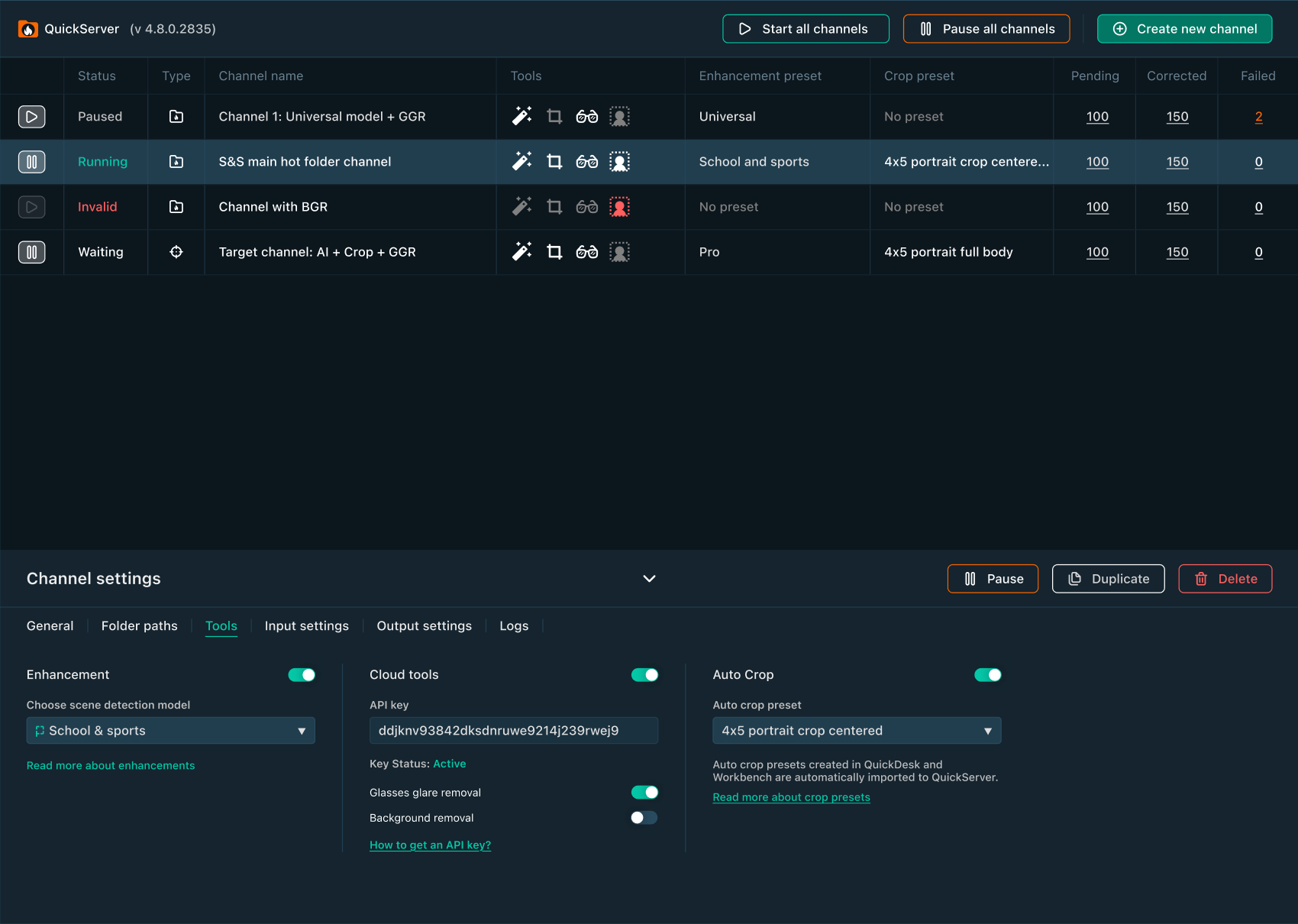
Glasses Glare Detector is in QuickServer
Automatically detect images with glasses glare in our hot folder solution. It can process thousands of images on-premise, so you can quickly detect images with glare automatically instead of flipping through them one-by-one.
AI Blemish Removal and Image Scoring Tool are now in Perfectly Clear Playground
Test our newest AI Blemish Removal and Image Scoring tools in our API Playground.
AI Blemish Removal – our most powerful remover while preserving moles, freckles and skin texture.
Image Scoring Tool makes image evaluation faster and more convenient:
- •Automatic suffix detection
- •Multiple viewing modes for comparison
- •Manual scoring
- •PDF report generation with final results
June 2026
Introducing Retouching 2.0
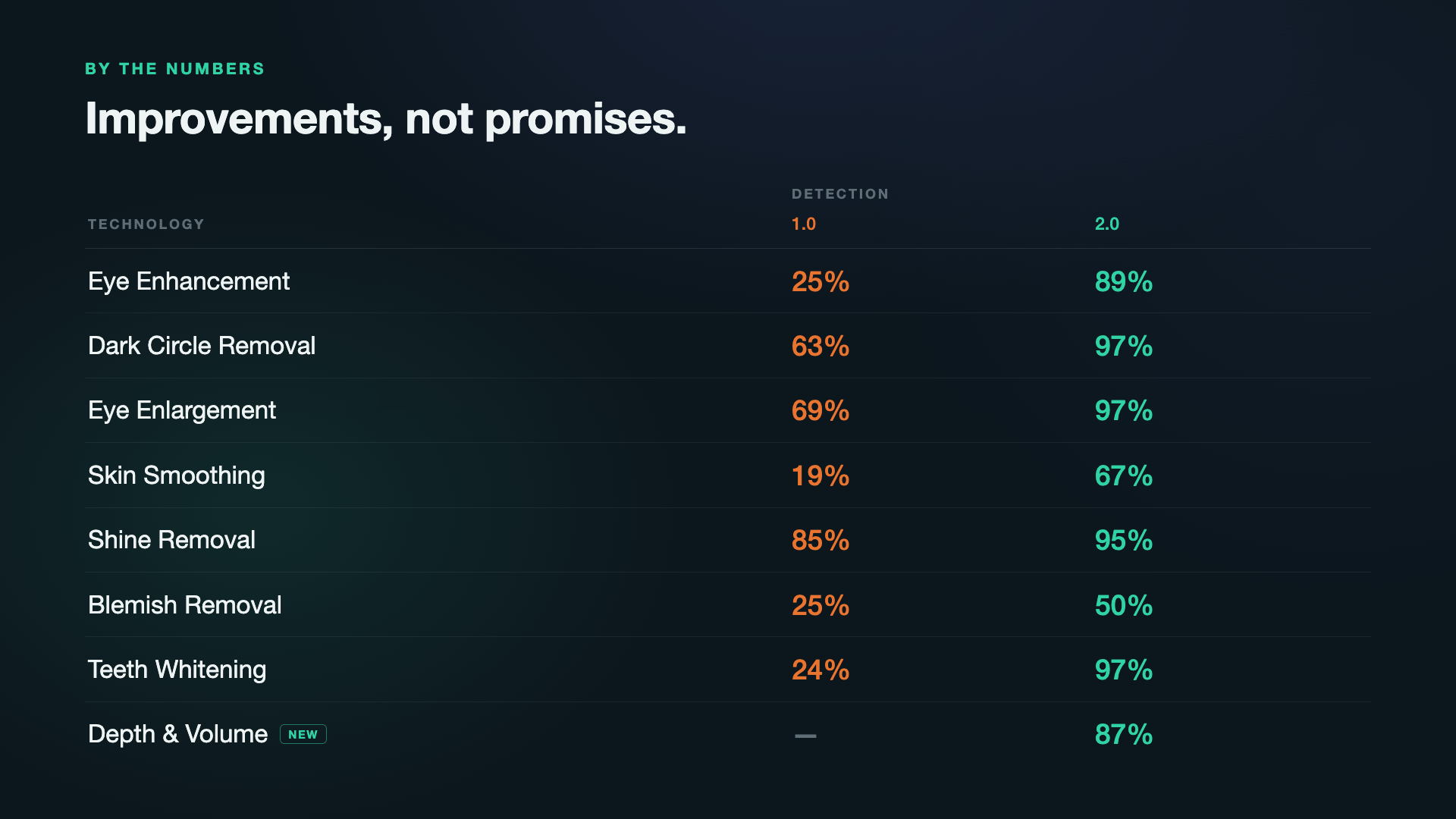
Our most powerful retouching engine yet delivers more robust and precise detection, more natural results, and higher image quality than ever.
What’s new:
- •95% overall increase in detection accuracy
- •8 retouching tools that enhances without erasing and refines without flattening
- •Our Skin Smoothing preserves textures. And Blemish removal doesn’t smooth the details
- •New Depth & Volume tool that adds dimension to portraits
Available on-prem, in cloud and on mobile.
Retouching that unmasks the beauty, keeping people real.
- •Original
- •Retouching 1.0
- •Retouching 2.0
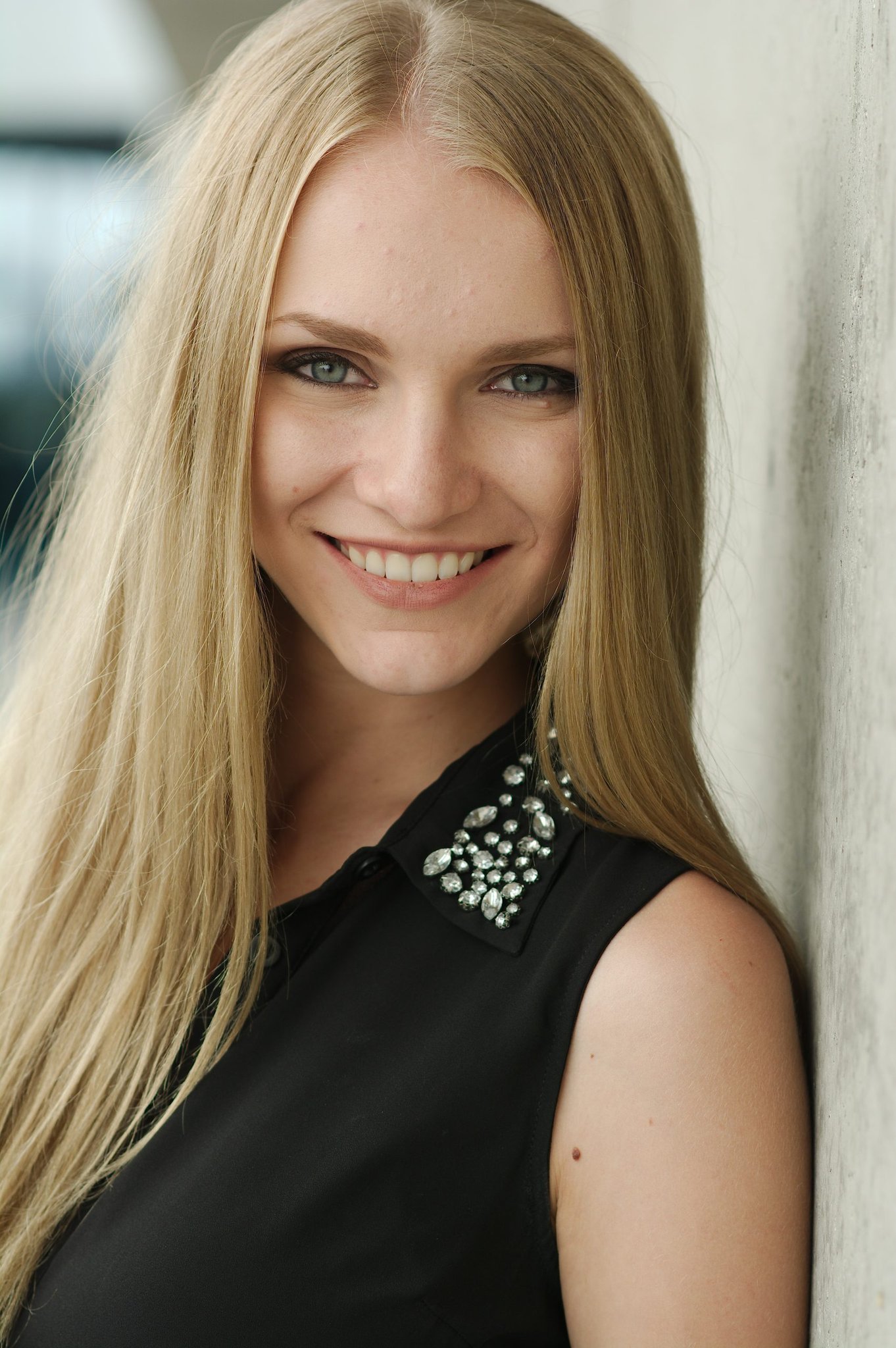
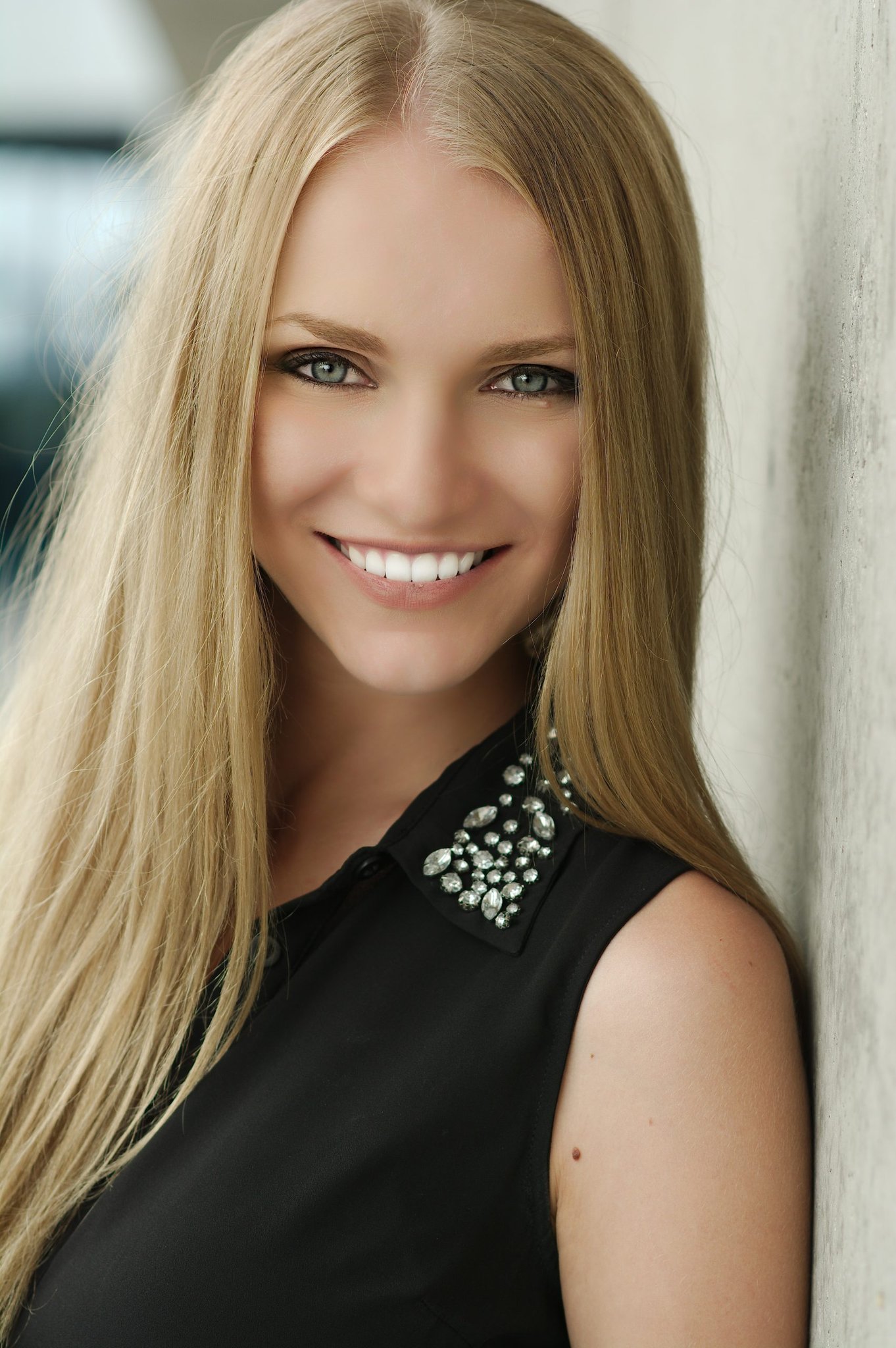
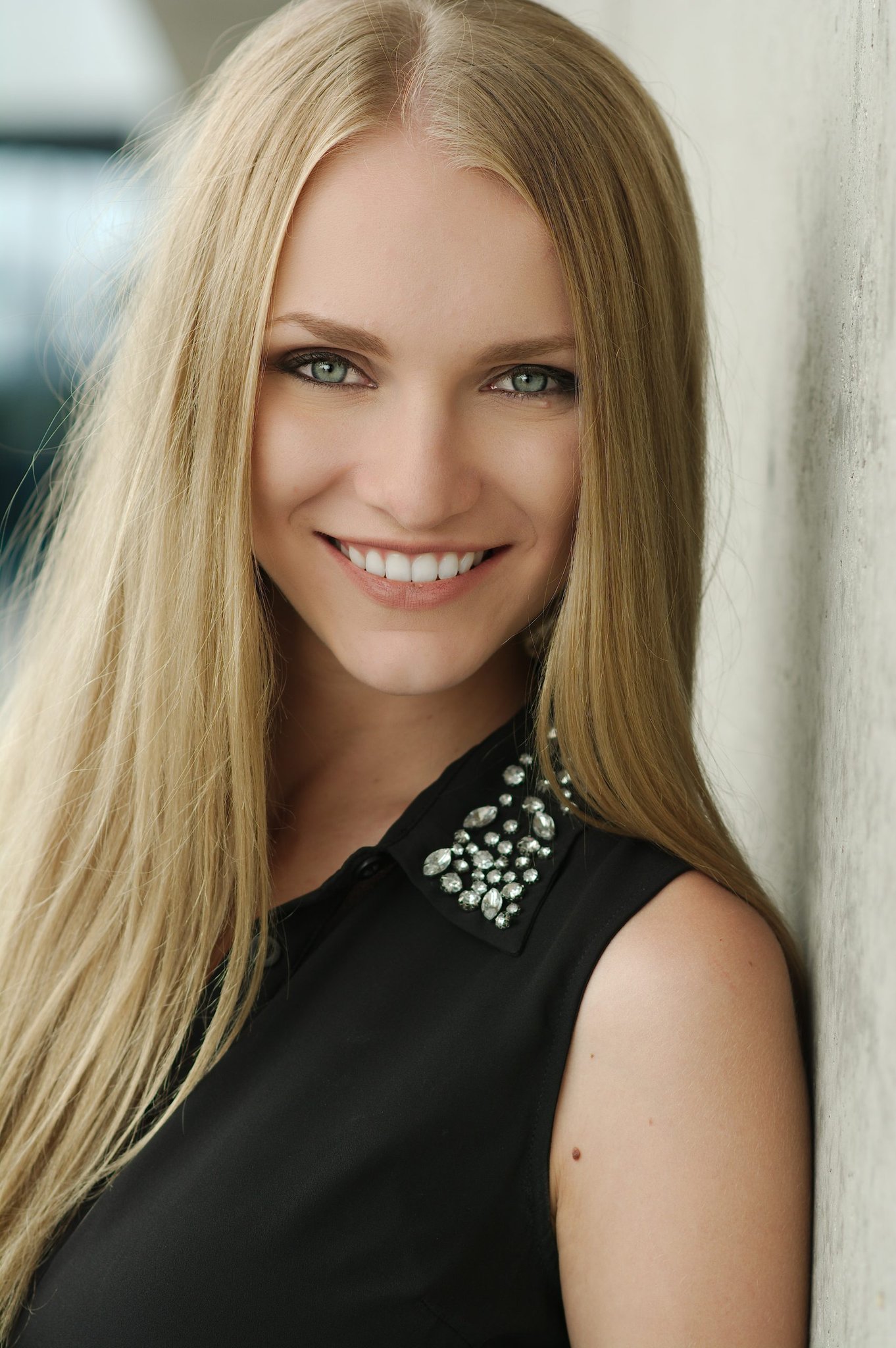
95% increase in detection accuracy with Retouching 2.0
May 2026
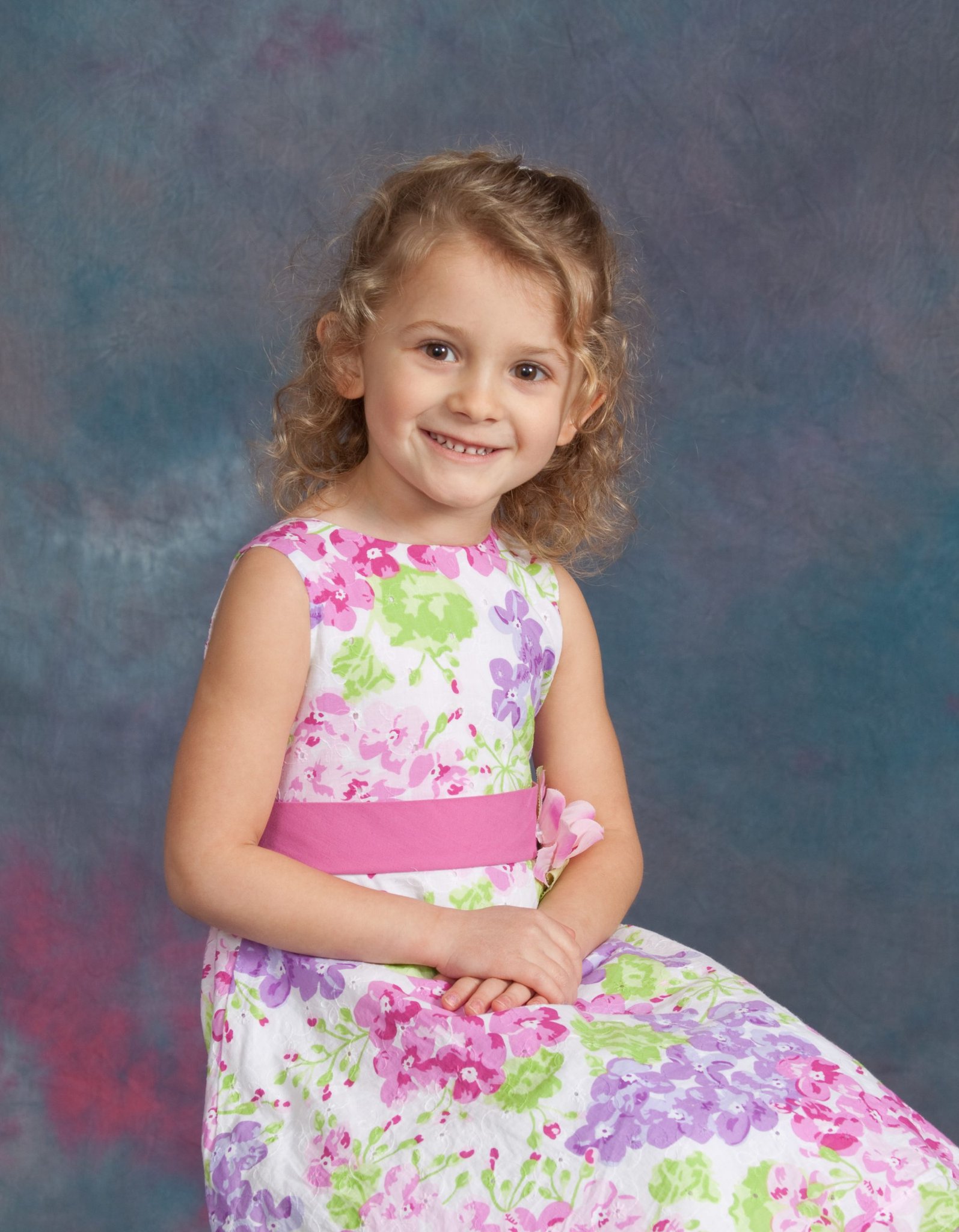
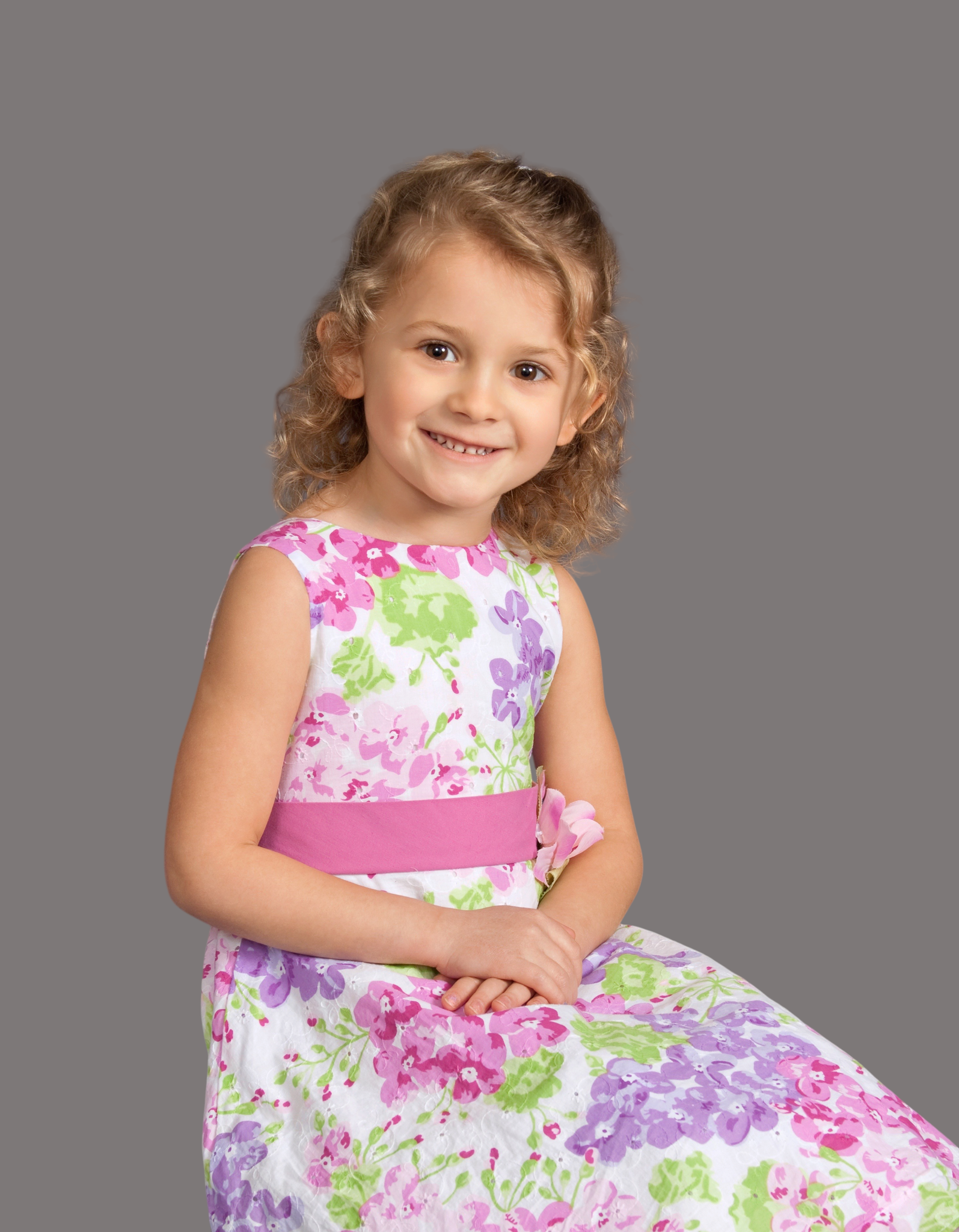
One image. Multiple possibilities. Now with AI-generated images, your own backgrounds or solid colors.
With Background Replacement, the options are endless! With Cloud Jobs, Cloud Demo and Web API, you can now access Background Replacement with an image and with a solid color. Through Cloud Demo and Web API, you can AI-generate new background images instantly for your photos. Simply log in to perfectlyclear.io and start testing!
- •Original
- •AI-generated
- •Solid color background

April 2026
Now you can upscale your images in QuickServer
AI Image Upscaling is now available in QuickServer, so you can run a complete image enhancement workflow — no switching between tools or platforms.
With your unique API key, QuickServer connects to the Cloud, detects your image type, selects the right upscaling model, and upscales automatically in seconds.


March 2026
New AI Model now available in SDKs
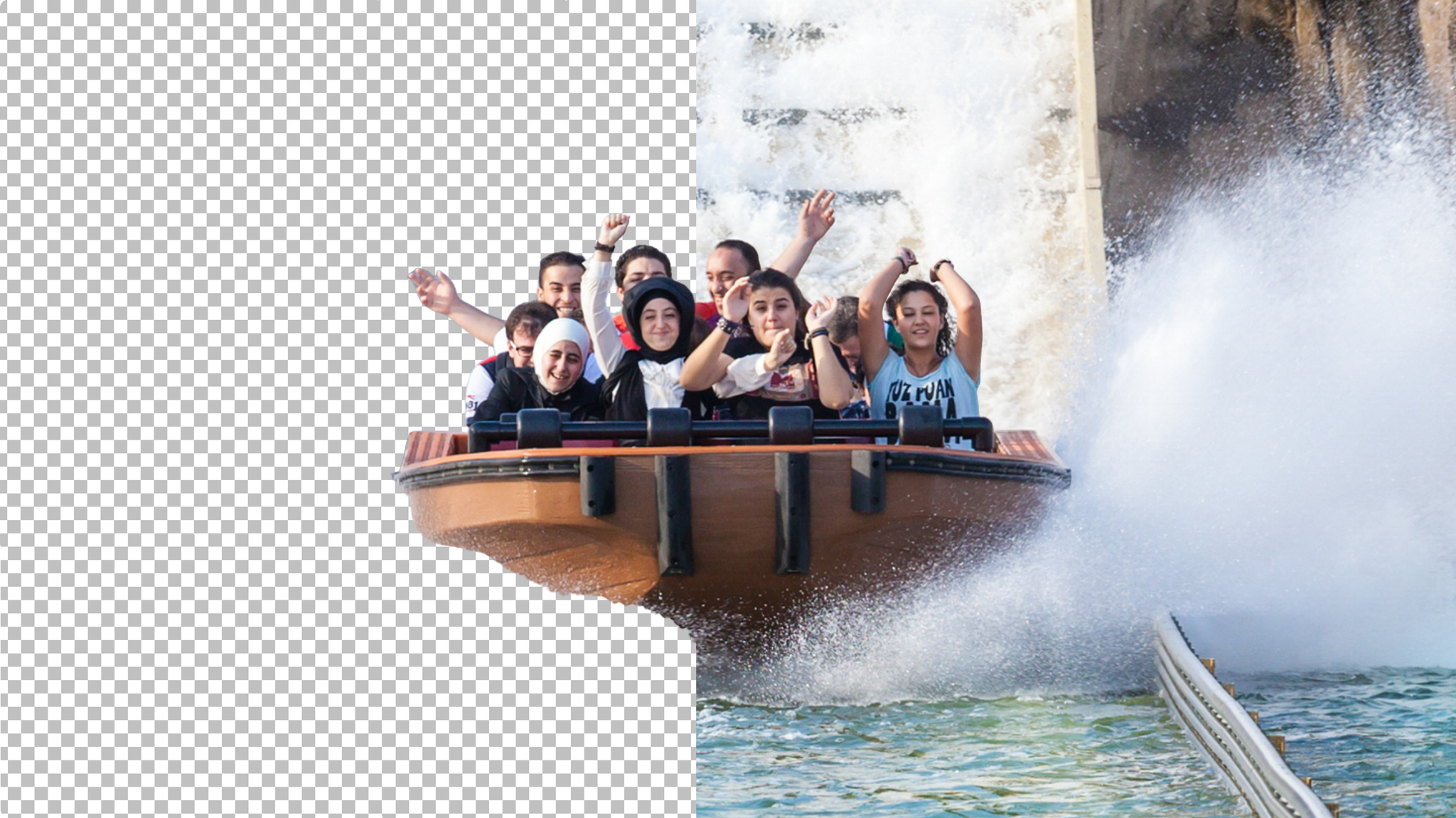
Access the newest Attractions & Cruise Lines AI Model in all SDKs (browser, web, mobile, server). This intelligent new models identifies scenes specific to this market and applies targeted corrections regardless of the lighting conditions. Whether the light is low or too bright, you will always see faces and natural-looking skin tones.
Get Auto Crop coordinates for fine-tuning
Coordinates are now available for Auto Crop via Perfectly Clear Command Line. We provide the coordinates you see in Workbench to help validate results before applying the final crop.
Everything you need to integrate, now in one place
We’ve refreshed our documentation so developers can implement Perfectly Clear faster. All the docs, sample scripts and step-by-step guides are in one place to get image correction live easily. Review them here.
February 2026
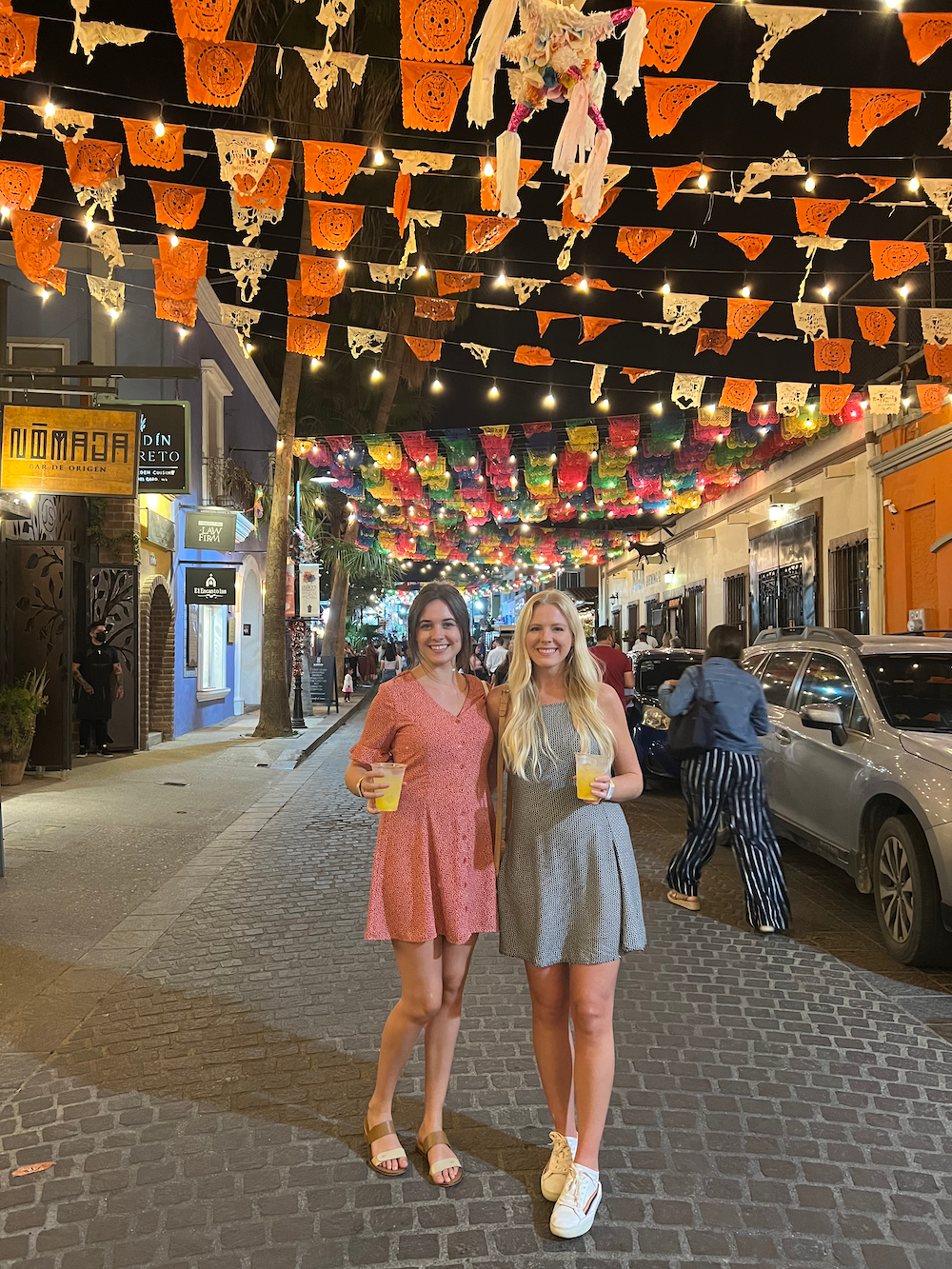
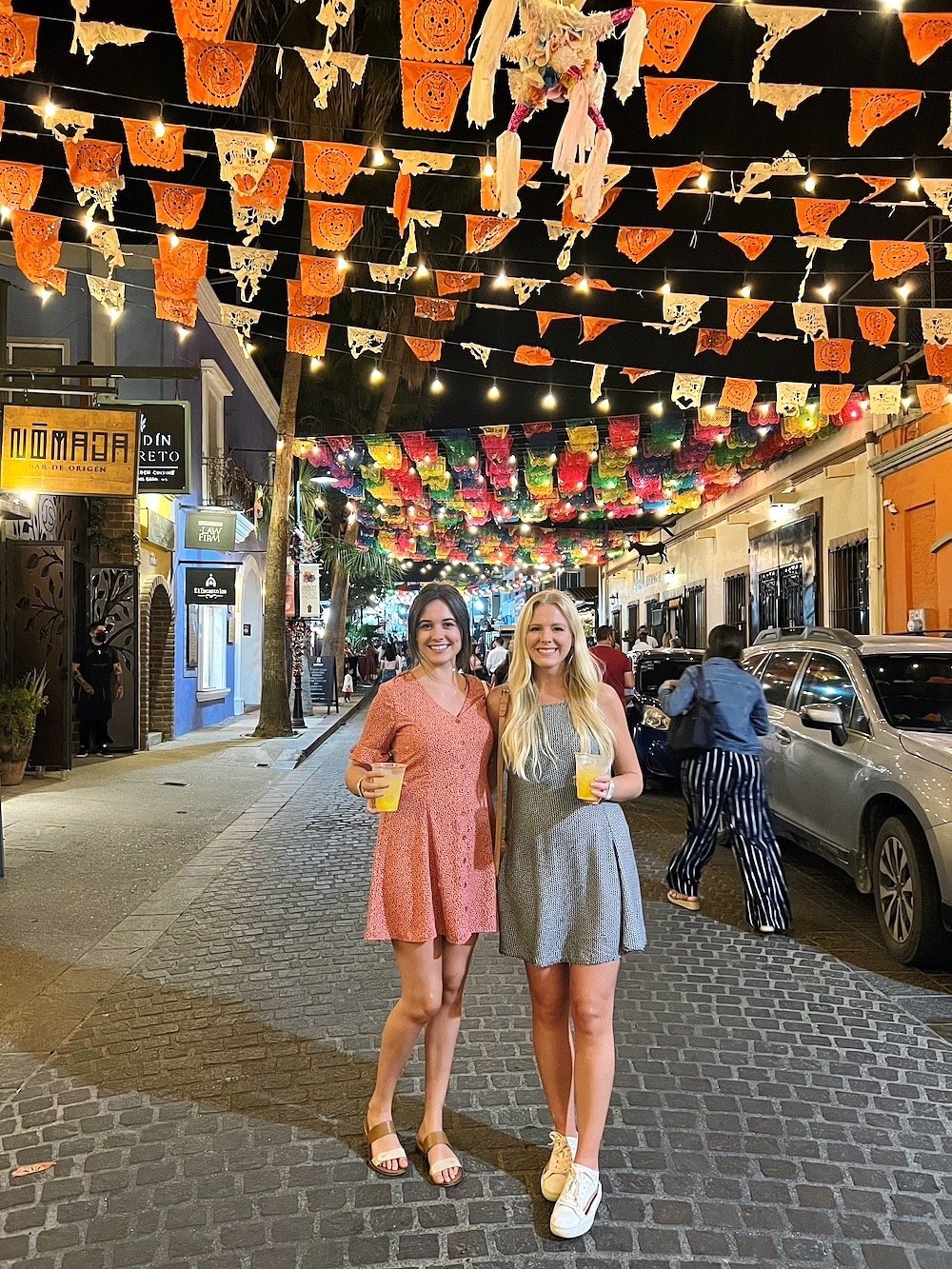
New AI Model for Attractions and Cruise Lines
We've built a brand new AI model that's optimized for photography programs in attractions and cruise lines, including unique scenes tailored to this market.
- •Original
- •Universal
- •Attractions & Cruise Lines



January 2026
Reimagined user interface for QuickServer V5
QuickServer V5 got a makeover! It features a beautiful and modern new interface, easier channel changes, and a step-by-step wizard for channel creation.
Already have QuickServer? Contact your Solutions Architect directly for the new installer.
Are you new to QuickServer and want to test it for free? Fill out this form here.
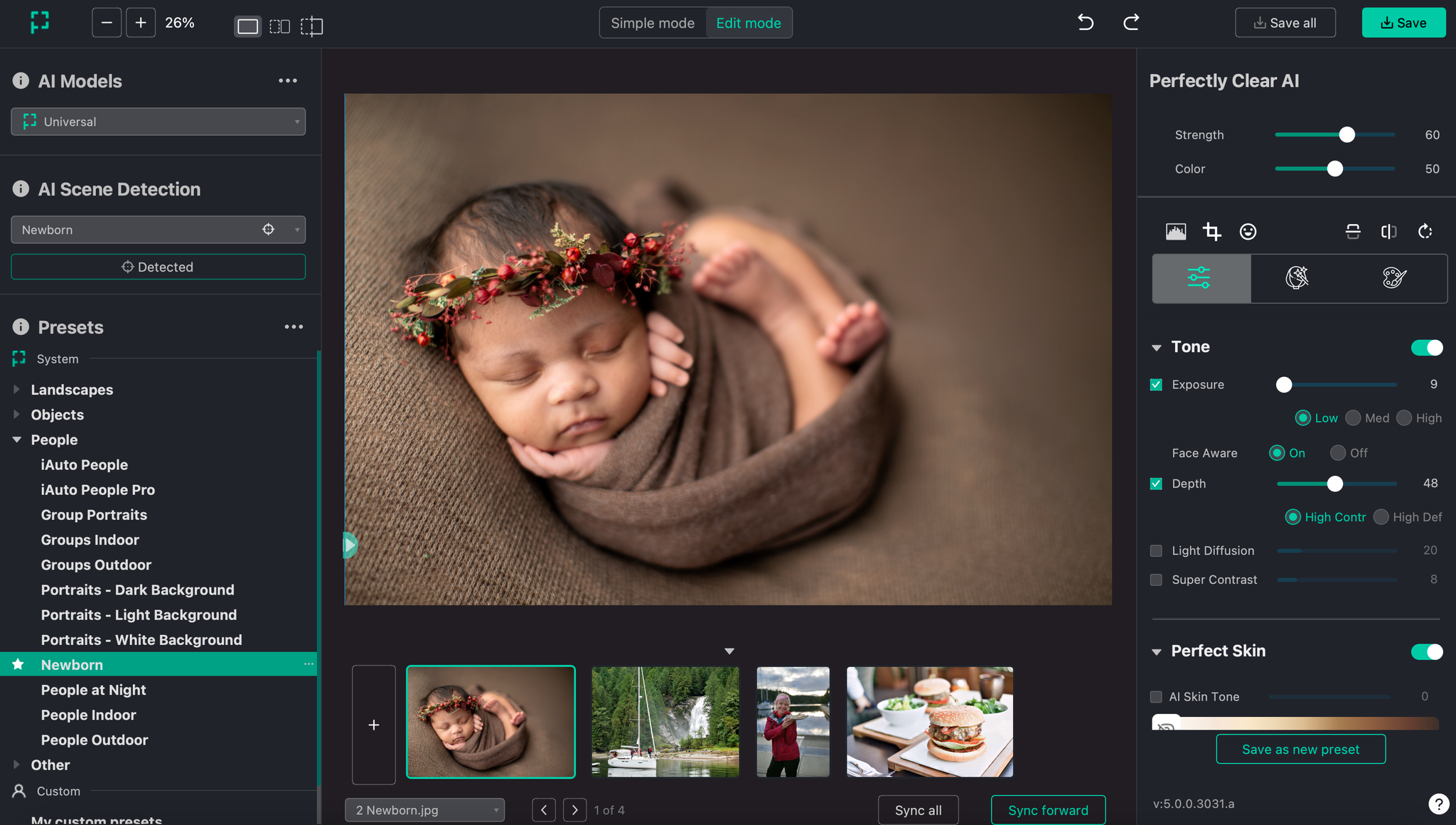
Workbench V5’s beautiful new interface
Workbench V5 has a reimagined user interface for a winning user experience.
- •Updated organization of AI Scene Detection, AI models and presets
- •New face detection visualization for accurate smile, face and eye points
- •81 new creative LOOKs filters
Already have Workbench? Contact your Solutions Architect directly for the new installer.
Are you new to Perfectly Clear and want to see the power of authentic image enhancements?
Download your free Workbench trial
December 2025
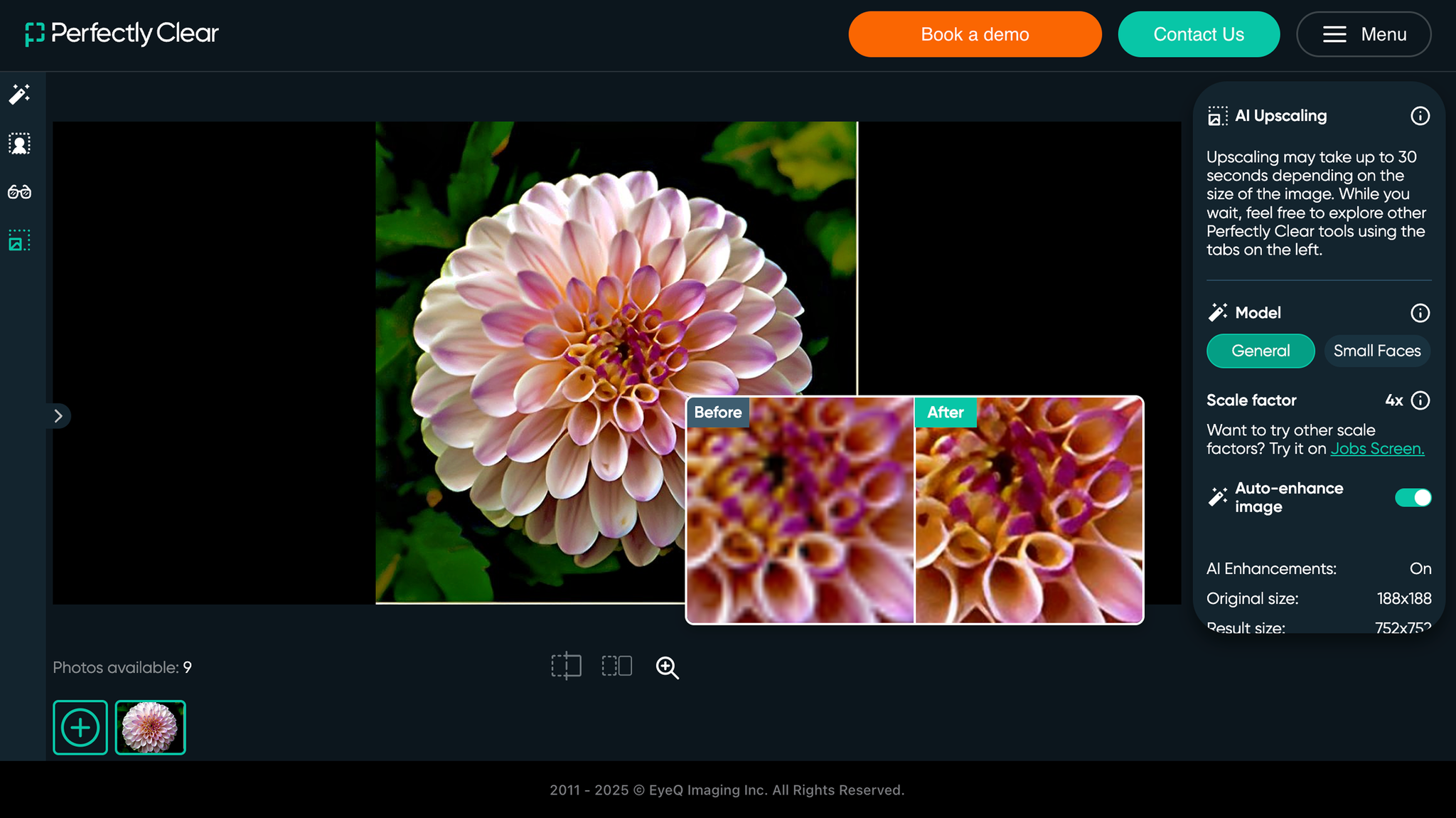
AI Image Upscaling 2.0 Demo is live
We’re working on getting all of the Perfectly Clear tools into our Cloud demo so you can test our image quality. AI Image Upscaling 2.0 can now be trialed, so you can review results in real-time. Login or sign up for the Cloud demo, and start testing today.
November 2025
Docker Container processes corrections up to 30% faster!
Deliver image corrections faster for color correction, retouching and creative filters.
On-prem Background Removal is now available
Other SDK bug fixes as well for minor improvements click here.
August 2025
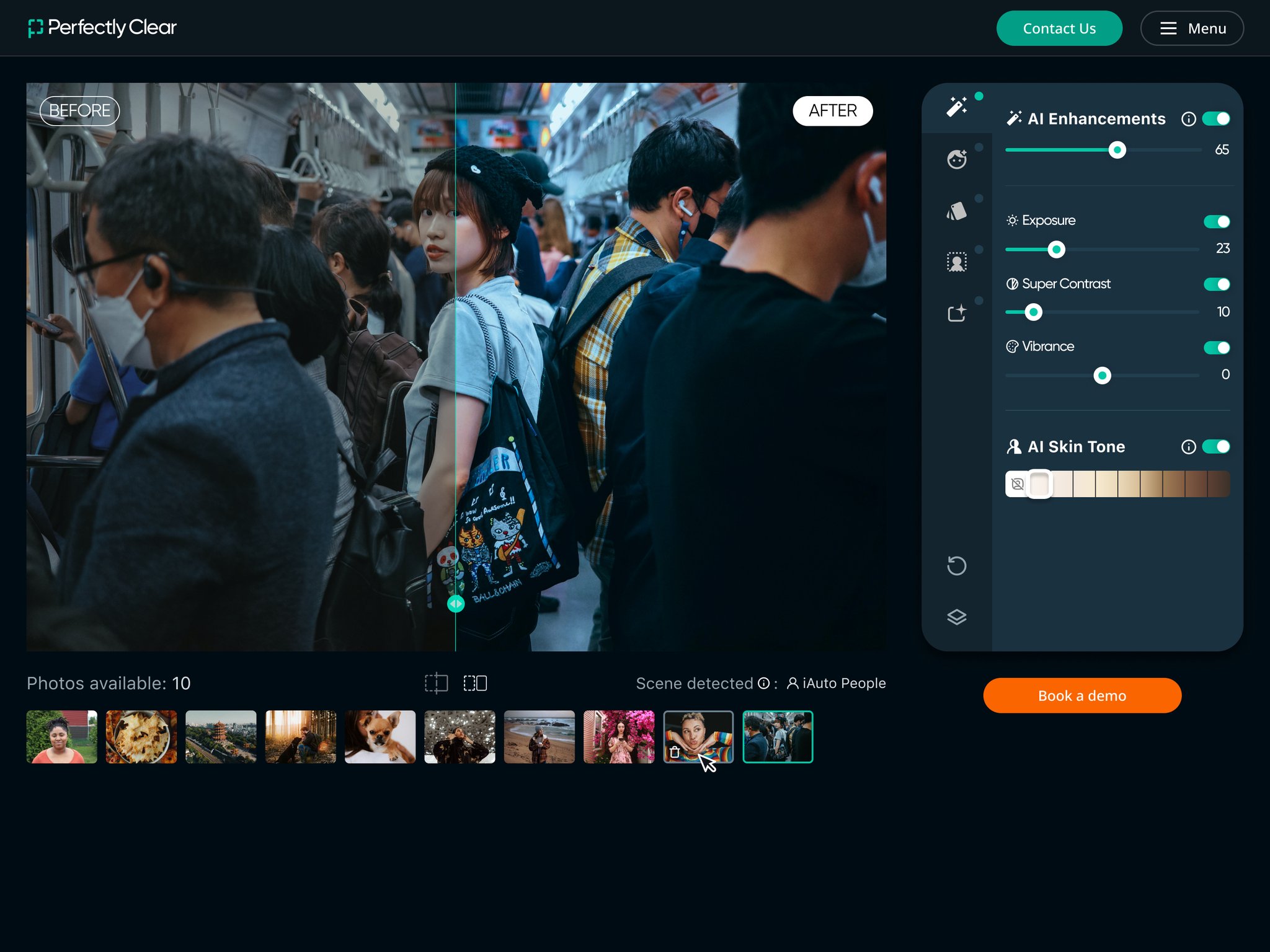
Perfectly Clear Cloud Demo Update
- •A sleek, improved interface that includes new correction sliders, correction buttons and AI Skin Tone Accuracy, providing the ability to test Front End Tools capabilities.
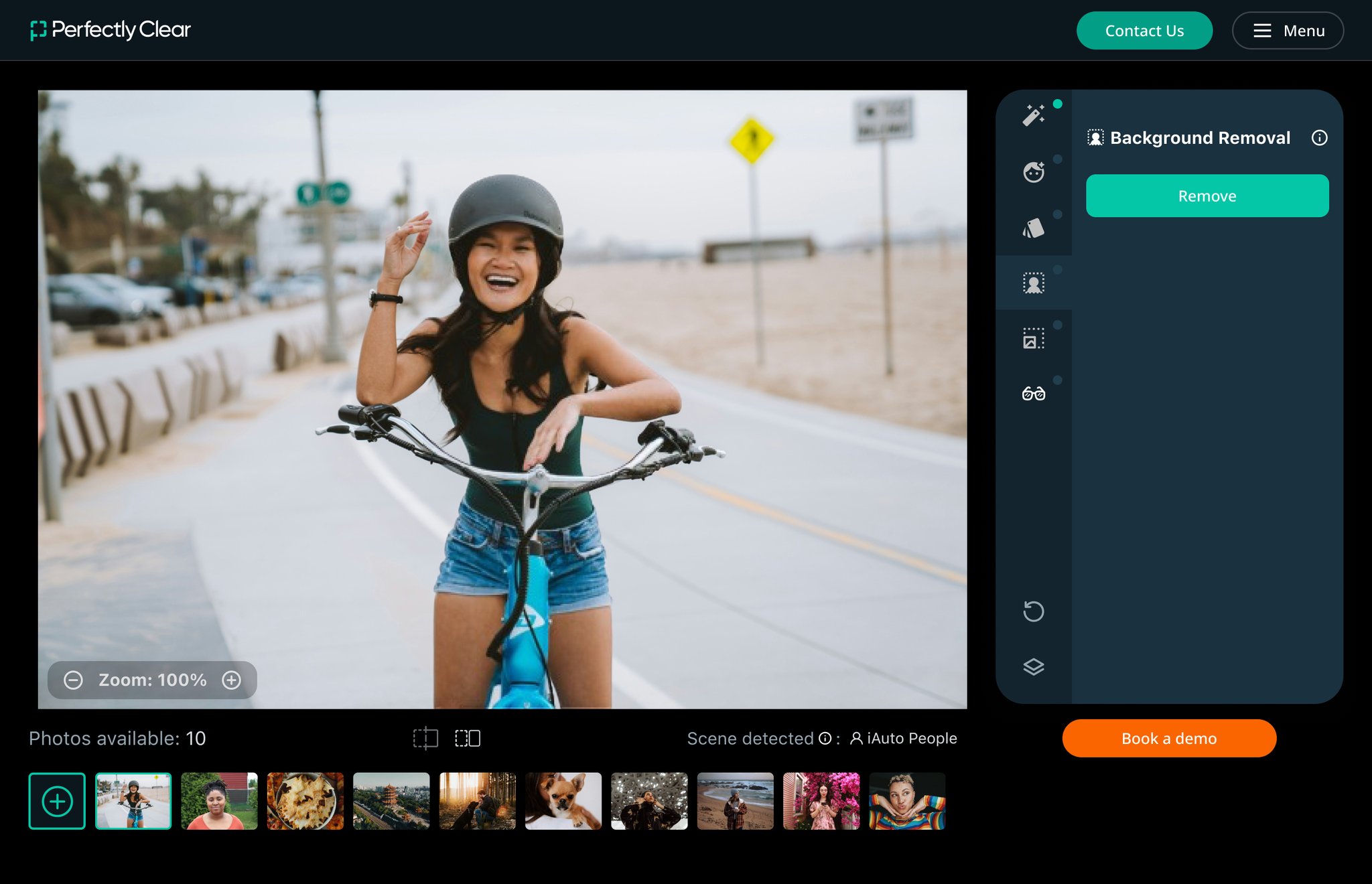
- •Our updated Cloud Demo tool now includes preliminary testing capabilities for automatic Retouching, Background Removal and Glasses Glare Removal.
- •Try our new Cloud Demo today!
Mobile Demo App Updates
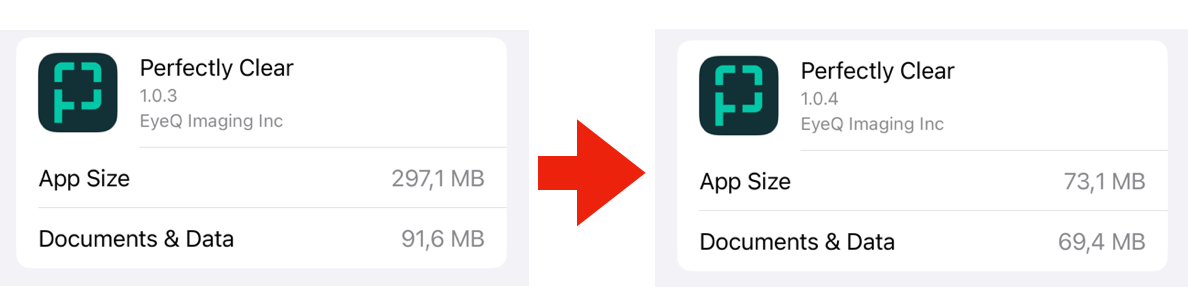
- •Android Demo App 1.2.6
- •New decreased app size to make more storage space on your device!
- •
- •iOS Demo app 1.0.4
- •App size decreased more than 2x from 389Mb –> 143Mb
- •
July 2025
Front End Tools
- •Implement Perfectly Clear directly into your front-end ordering process instantly.
- •It’s a turn-key package allowing for deployment in day(s) instead of week(s).
- •We provide source code to each demo, including all UI/UX elements plus SDK engine for all Perfectly Clear correction technologies.
- •Front End Tools can be instantly deployed as is in the source code, or customizable to your brand with adaptable UI components. It includes the AI Server, so you no longer need to host.
- •Does not require WebAssemply knowledge – we’ve wrapped up the complexity for you.
- •Learn more about Front End Tools.
AI Image Upscaling 2.0
- •An entirely new groundbreaking model which creates natural and beautiful faces and eyes (including pupil look), while also removing noise and compression artifacts throughout the image.
- •Also a new model optimized for tiny faces and logos.
- •Learn more about AI Image Upscaling.
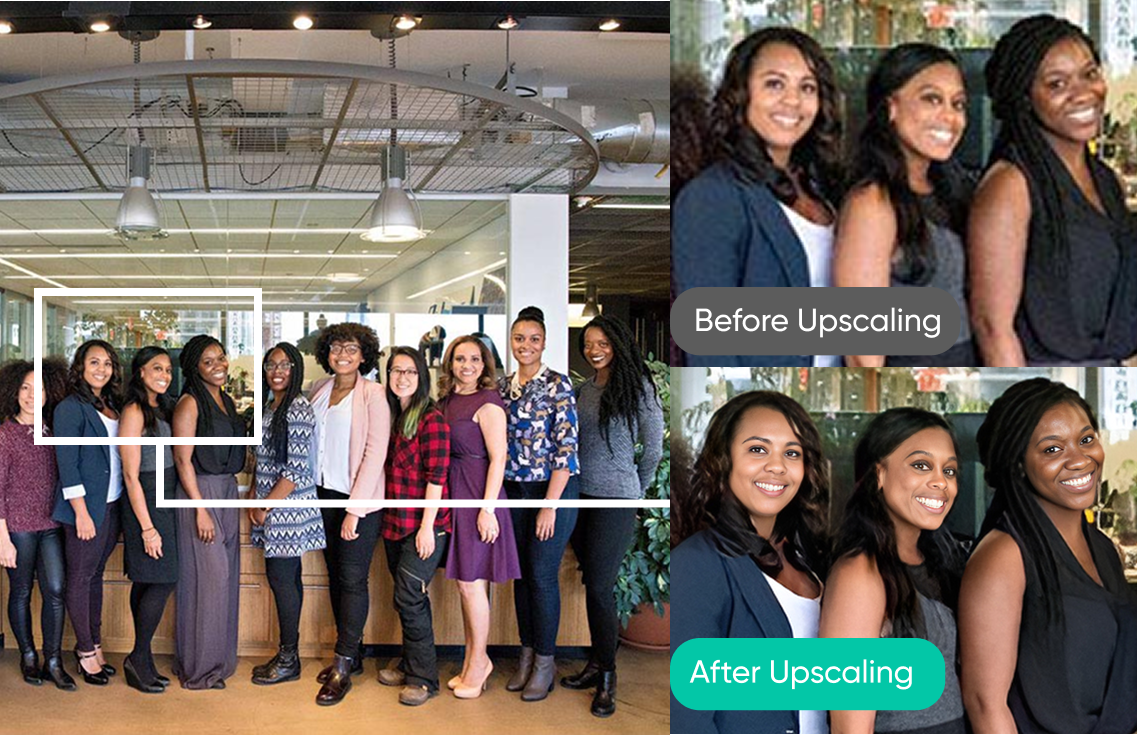
Small Faces upscaling model example.
May 2025
Updates to AI Scene Detection
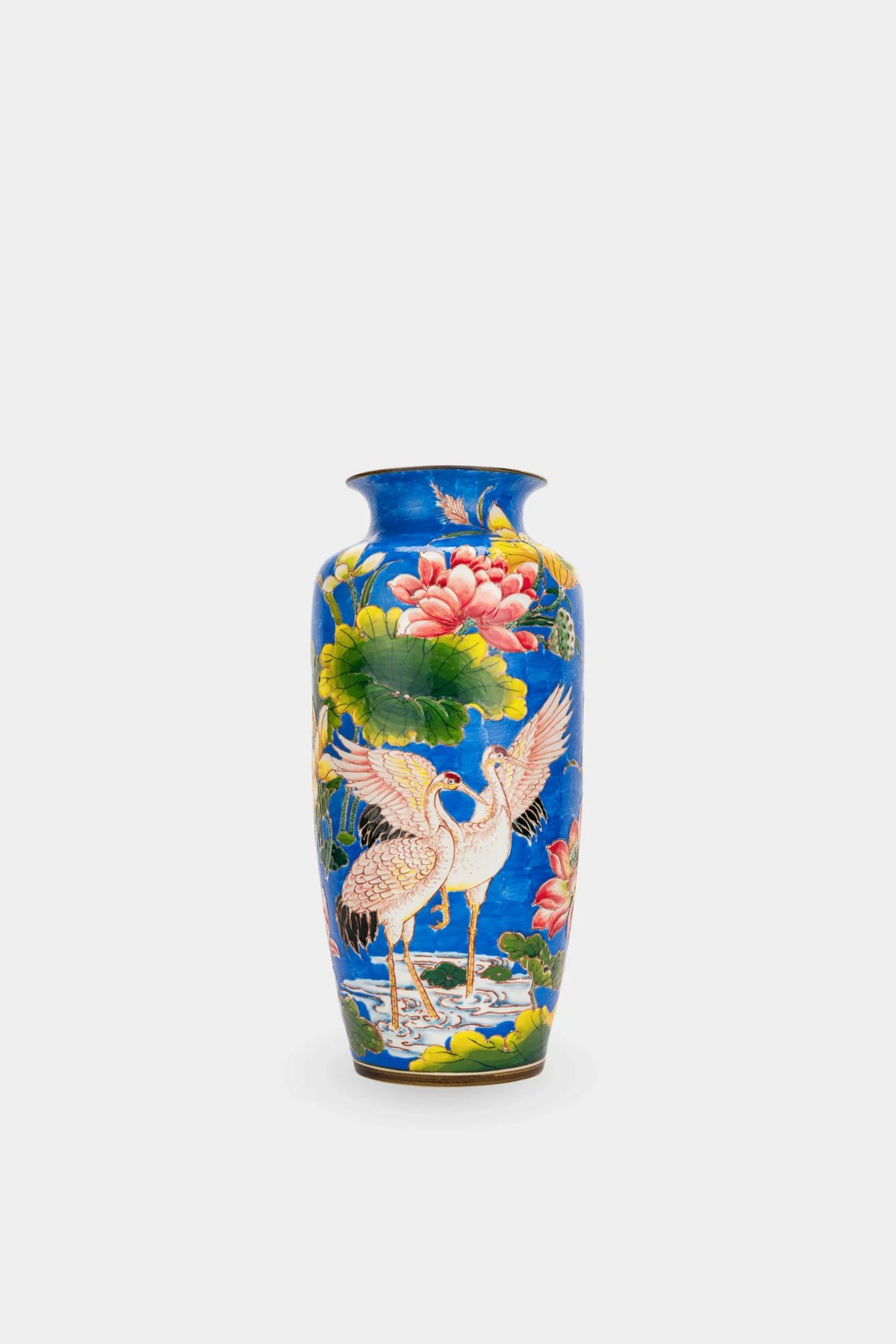
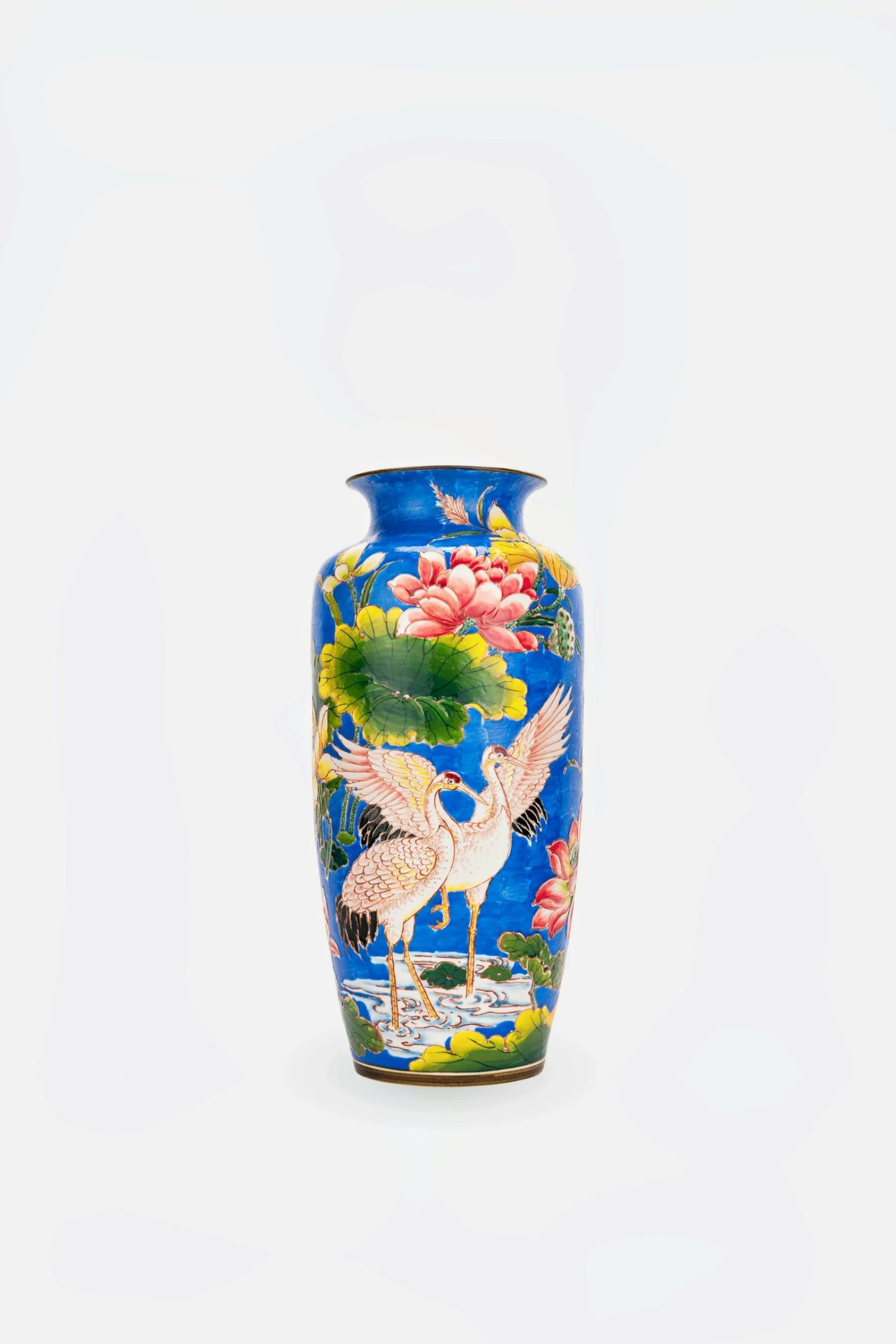
We added a new scene to our Universal and Pro AI models for “Objects on White Backgrounds”. This new scene keeps the white background white (previously we’d turn it slightly grey), while subtly color correcting the object in the image for sharpness, depth and more pop off the white background. Updated entire model to be more robust with an improved accuracy detection rate of 94%.
- •Original
- •Old Correction
- •New Correction

April 2025
QuickServer Update
- •Background Removal and Glasses Glare Removal are now available for Hot Folder users.
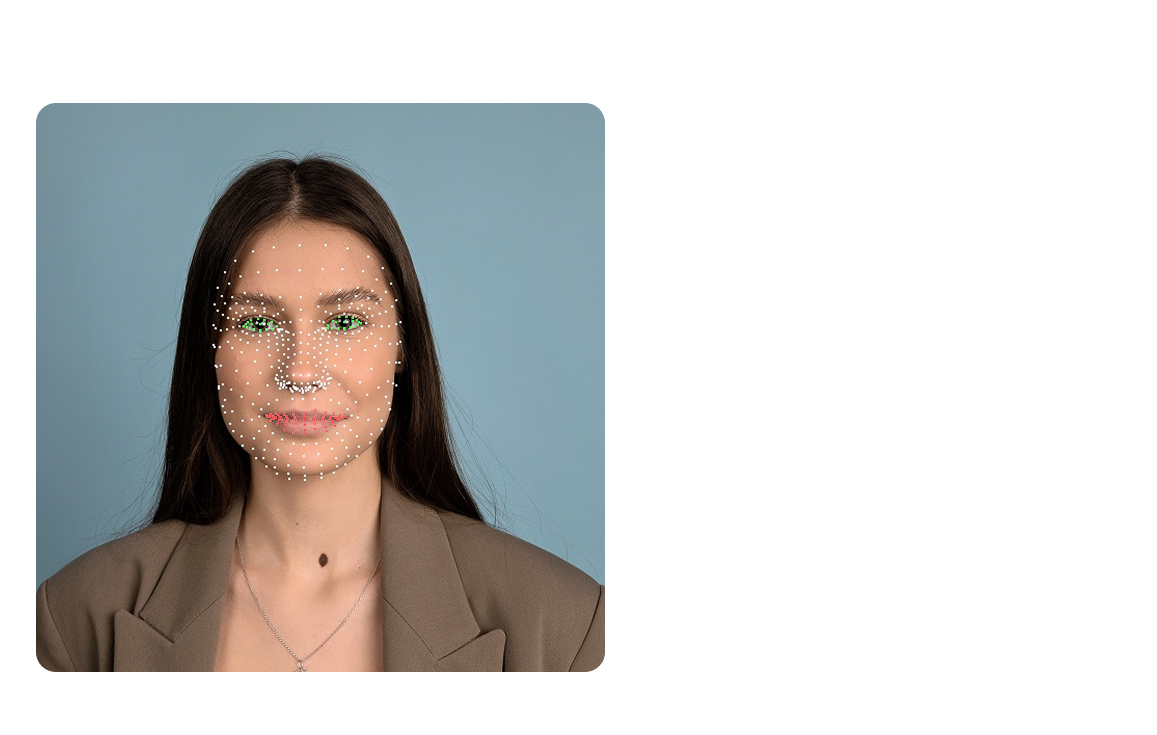
New Blink, Smile and Face Detection
- •We added new Perfectly Clear technology for detecting faces, eyes open or closed, and smiles.
- •It detects 487 face points for increased accuracy, and our SDK gives your the ability to access all 487 face points.
- •It’s still as fast as before: ~50 milliseconds on a single face image to 200 milliseconds for large groups and lots of faces.
- •Face detection is 6% higher with an overall 92%+ detection rate on all types of faces. The angle and size of faces will impact detection accuracy.
- •This technology runs locally on mobile, desktop and server SDKs.
Background Removal Quality Improvement
- •More accurate extraction, and no more artifacts and blurred edges.
New Automatic Glasses Glare Removal Tool
- •It’s accurately and instantly detects and removes that pesky, distracting glasses glare from eye glasses.
- •Glasses Glare Removal is a cloud-based tool that is available through Perfectly Clear Cloud, Web API and QuickServer.
- •Learn more here.

November 2024
Perfectly Clear is 10 - 30%+ faster!
Our rockstar engineers have been working overtime and drinking lots of espresso to deliver this massive speed improvement to you. The range of speed depends on your hardware and operating system.
This applies to all of our CPU SDKs (Mac, Linux, Windows, Command Line, Docker) and our Cloud WebAPI and Docker
Linux ARM support
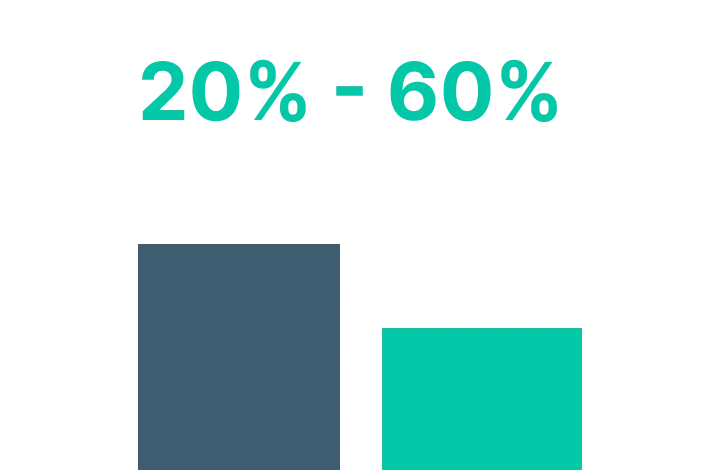
For those of you running this platform, we now have a native engine for you! What’s the benefit? 20-60% lower costs .
The specific tech specs of the machine make a difference on both the cost, and also speed (sometimes faster, sometimes slower). The real advantage is using a smaller ARM machine vs a larger and more expensive Intel. A good rule of thumb is as follows:
- •Arm is 124% the speed of Intel (slower)
- •Arm is 35% the cost of Intel (dramatically cheaper)
- •So the cost to process one photo on Arm is 45% of the cost on Intel (cheaper)
WebSDK
We’ve made our front-end WebAssembly SDK able to handle large volumes at scale. Technically one of our engines can be used behind load-balancers, so you can easily scale your server infrastructure to support any number of concurrent requests
Android SDK updates
Ready to implement our native Android engine? Great, we’ve re-coded it to make it simpler and easier to implement.
Other SDK fixes
We’re continually making tweaks to make our SDK …this one fixes an issue that could cause differences in quality between SDK, Command Line and Workbench
August 2024
Resizing in QuickServer
- •QuickServer now has the ability to produce smaller images with this new resize feature
QuickDesk and Workbench Updates
- •Exporting to the SDK from Workbench is a better experience
- •Stability updates for Windows users
- •Many small user interface improvements
- •We made Selective Color better than ever
July 2024
SDK 10.6.3 - AI Skin Tone Accuracy in Mobile, Larger Image Size, & More
- •The maximum image size has been increased to 500 MP to allow broader usage of our SDK on larger images
- •We’ve added new feature capabilities to our Mobile SDK, including increased support for AI Skin Tone Accuracy, ensuring skin tones are accurate, natural, and healthy
- •We’ve added new capabilities to our Desktop Java SDK
- •Color management with linear sRGB has been improved
April 2024
Speed & Cost Savings | SDK, Docker, & Command Line Updates
- •Command Line customers achieve a 10-30% increase in speed.
- •Command Line customers experience lower processing costs.
- •Corrections from our new Selective Color are supported in our SDK, Docker, and Command Line. Selective Color is now available for preset creation and tweaking to allow our image quality team to meet your needs when creating custom presets that require specific colors to be represented differently.
- •Many small packaging and documentation improvements to make it easier than ever to build with our technology.
QuickDesk, QuickServer, & Workbench Updates
- •A new tool called Selective Color is now available for preset creation and tweaking. This allows our image quality team to meet your needs when creating custom presets that require specific colors to be represented differently.
- •Based on your feedback, we’ve changed the parameters in our “Group Portraits” presets to now use skin smoothing on face only rather than full body.
- •Many small improvements to make your user experience better than ever!
December 2023
QuickDesk, QuickServer, & Workbench Updates
Auto Crop is now available in QuickServer! Now you can automate your cropping process faster than ever with our hot folder product.
We’ve also continued our iterations and improvements on our Auto Crop technology to improve accuracy and consistency.
October 2023
QuickDesk, QuickServer, & Workbench Updates
Speed up your portrait workflow with our updated Auto Crop. Auto Crop is now more accurate and user-friendly than ever.
- •Crop presets allow you to save your favorite crops and export your presets
- •Performance updates ensure accuracy and stability
SDK, CommandLine, & Docker
Auto Crop is now available in our SDKs, CommandLine, and Docker solutions! Integrate our automatic cropping directly into your workflow or offering.
Cloud / Web API Update
We made some small but meaningful updates to our Cloud platform and Web API. Here’s what you need to know:
- •You can now process as many files as you want in Cloud. We removed restriction of 400 files per job so your workflow is unconstrained.
- •We increased the limit for zip package size in Cloud to make larger volumes easier to process and download
- •In Web API, we have updated the following:
- •Set fileType=image as default
- •Allow preset=none
- •
- •We made some updates under the hood to ensure ease of use and better processing with both Web API and Cloud
August 2023
Monumental Image Quality Updates
As relentless innovators, we are thrilled to unveil a remarkable array of advancements that will take your automatic photo editing workflow to the next level. We’re excited to announce the following image quality updates:
- •AI Skin Tone Accuracy 2.0 – Achieve natural, lifelike skin tones with our latest version of AI Skin Tone Accuracy
- •See how our previous version compares here
- •
- •School & Sports AI Preset Model – A new AI Preset Model with targeted corrections for school & sports photos
- •AI White Balance – Accurate color correction with automatic white balance for portraits taken on dark backgrounds and green screen
- •Auto Crop 2.0 – Effortless and consistent crops with our newest iteration of Auto Crop
- •Updated Universal and Pro AI Preset Models – Small tweaks and updates to presets within our Universal and Pro AI Preset Models based on customer feedback
June 2023
QuickDesk, QuickServer, & Workbench Updates
We’re happy to release Version 4.5.0.2519 of our desktop products. Here’s what you need to know:
New feature:
- •New options to determine output size when saving in Workbench
Auto Crop updates:
- •Better auto-crop accuracy for small faces
Other improvements & updates:
- •Improvements pertaining to activation, saving, and zoom
- •Update Redo shortcuts for support Ctrl+Shift+z
- •Add arch indicator to Mac version numbers (i or a)
- •Preventing severe artifacts in some images
May 2023
SDK Updates
Improvements and fixes to our core offering are very important to us. While we love innovating, we’re also dedicated to giving you the best product possible. Here’s a summary of SDK 10.4.0.697:
Image quality improvements
- •Small bug fix for rare correction artifacts [See examples here]
- •Fix artifact when using Light Diffusion at low strength levels
- •Removing Red Eye correction from all AI Presets — based on our research, this is no longer needed
Consistency improvements
- •Improved consistency between Workbench and the SDK, CLI, and Docker image corrections
- •Improved consistency between SDK and Workbench
Other improvements
- •Images can now be converted to any ICC profile
- •Changed ‘auto’ behavior in CLI – auto will apply Universal AI Preset Selection
- •Fixed crash and processing error with un-flattened PDF files
Cloud & Web API - AI Image Upscaling & Video Correction Now Available
We’re happy to announce that AI Image Upscaling and video enhancement are now available to use in both Web API and Cloud.
- •Learn how to test AI Image Upscaling here
- •Learn more about our video enhancement here
March 2023
QuickDesk, QuickServer, & Workbench Updates
We just went through a HUGE round of updates for our desktop products so they run better than ever! Here’s a summary of release 4.4.0.2471:
Stability
Perfectly Clear desktop products have undergone multiple updates to be more stable than ever. We know stability is important to your business, so we’re taking steps to make sure your workflow is never interrupted.
RAW Support
We’ve updated our RAW file support engine to support a broader range of RAW file types. This change does require new extensions to be downloaded on Windows computers.
Speed Improvements
Perfectly Clear desktop products are now faster than ever! We’ve already helped speed up editing time with our automation, but now our processing time is even faster.
- •RAW File Processing Speed Increases:
- •150% speed increase processing RAW files on Windows devices
- •300% speed increase processing RAW files on Mac ARM (M1 & M2) devices
- •
- •JPEG File Processing Speed Increases:
- •300+% speed increase processing JPEG files on Mac ARM (M1 & M2) devices
- •
Mac ARM64 CPU Support
- •If you have a Mac computer with an M1 or M2 chip, you’ll experience at least a 20-30% speed increase compared to the Intel version.
Other Updates
- •Update in Auto Crop face detection system
- •Turn off Red Eye correction for current presets (Universal & Pro)
February 2023
Mac ARM64 CPU Support is now in the Desktop SDK
You can now build native ARM64 applications using our Desktop SDK. The Desktop SDK supports all Apple CPU technology including M1 Max, M1 Pro, and M2.
Other SDK Updates
- •Red eye corrections are now turned off by default for all presets
- •Fix for Chinese character issue
- •Samples & packaging improvement
January 2023
Auto Crop Available for Testing in QuickDesk and Workbench
Auto Crop is now available for testing in QuickDesk and Workbench! This new feature allows you to automate the cropping process for an even faster workflow.
QuickDesk and Workbench Updates
- •The “Next/Previous Image” menu items are renamed to “Image”
- •Stability Issues have been addressed
- •Small bug fixes making Workbench and QuickDesk better than ever
October 2022
Cloud & Web API Updates
- •Billing update
- •Fix for some jobs not setting the proper preset
- •Fix credit counting for Cloud jobs
- •Fixed password reset for WebAPI users
- •Performance gain in Admin screen
September 2022
Flattened File Image Correction
Perfectly Clear can now correct individual images found within pages, layouts, or borders, even if the file has been flattened.
We are currently in Phase 1 of this development, meaning that we are able to extract and correct simple, rectangular photos found on a page. Phase 2 and 3 will follow for more complex requirements.
If you are in need of this service, let’s chat. Phase 1 is currently in beta and is available for testing. Contact us today to get started!
AI Scene Detection Updates & Accuracy
We’re now on Scene Detection Model 3.7. Updates to this model include accuracy and a few minor tweaks and retraining. It now works more accurately with photos that include people in them.
Updates include:
- •Photos with “small people” go to “people” scenes
- •Removed Professional portraits scene
Model 3.7 has improved our success rate from 86% to 91%.
Workbench, QuickDesk, & QuickServer Update
- •AI Preset Selection Model 3.7
- •Fix changing preset doesn’t de-select LOOK
- •Fix AI strength slider
- •Small improvement to Sky Enhance
- •QuickDesk fix for rare licensing issue on Windows
Cloud / WebAPI Update
- •Improvements in web interface
- •Ability to process larger images without errors
- •Better handling when user approaches usage limits
May 2022
AI Scene Detection is Even More Accurate
We’re now on Scene Detection Model 3.6, and it’s more accurate than ever.
Scene Detection is used to determine the contents of the image and categorize it. Then, AI Preset Selection chooses a preset accordingly. More accuracy means even better corrections.
AI Skin Tone Accuracy is Even More Accurate & Robust
Perfectly Clear is inclusive to all skin tones, and we have been working on making our AI Skin Tone Accuracy even more accurate. After the AI Scene Detection retraining, we were able to accurately detect dark skin tones 99.5% of the time, meaning that we can accurately correct them.
We also have optional parameters that can be added to your presets based on the look and feel you are looking for in skin tones. For example, we can assist with making skin tones less orange, removing infrared, etc.
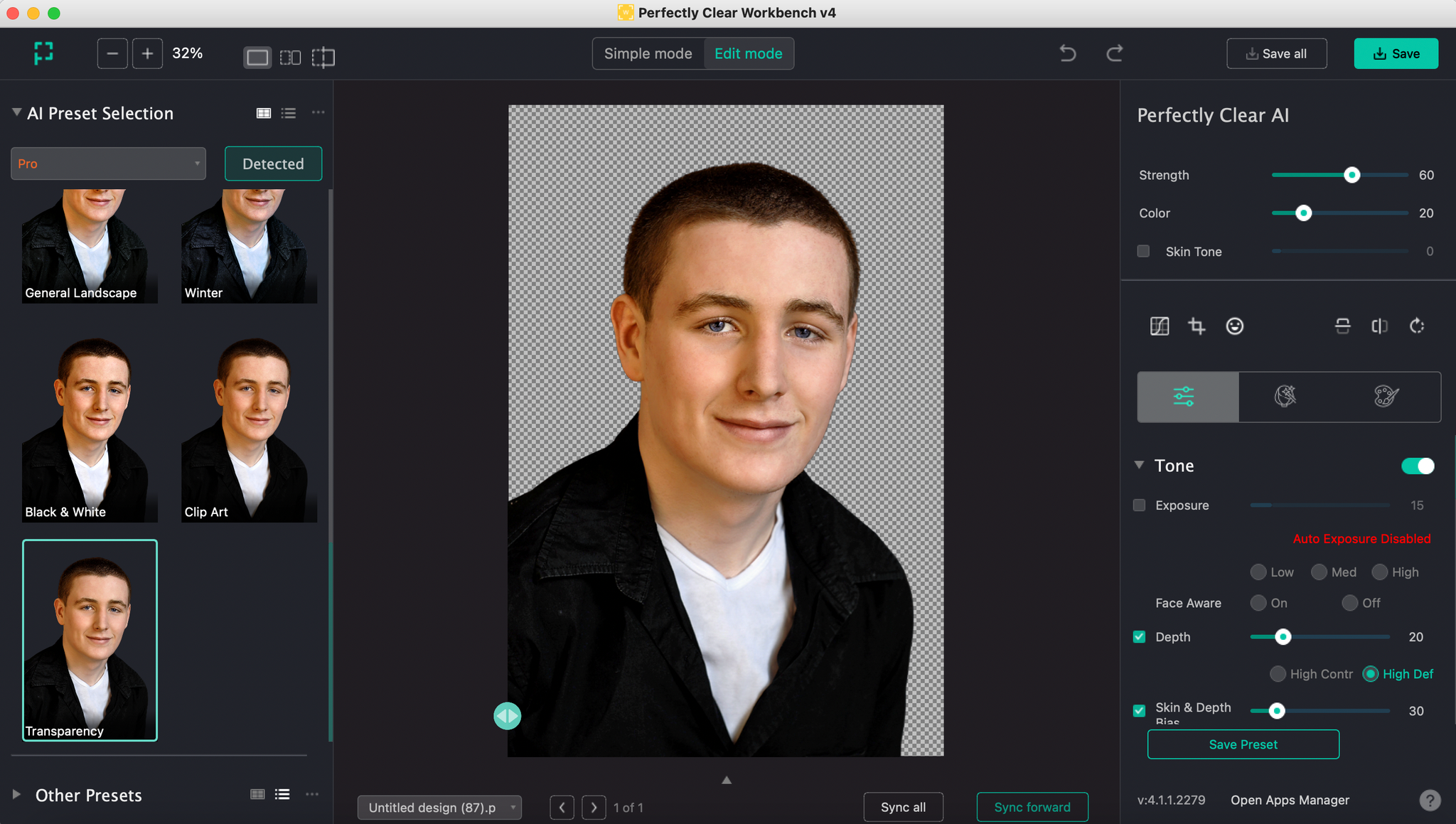
New: Transparent Background Preset in Pro Model
If you’re using Perfectly Clear for images that are already extracted, this update is for you! We added a new Preset in the Pro Model that has been designed for previously extracted photos such as green screen knockouts.
This ensures that the background color has no effect on the correction.
New: Updated Pro Model Presets
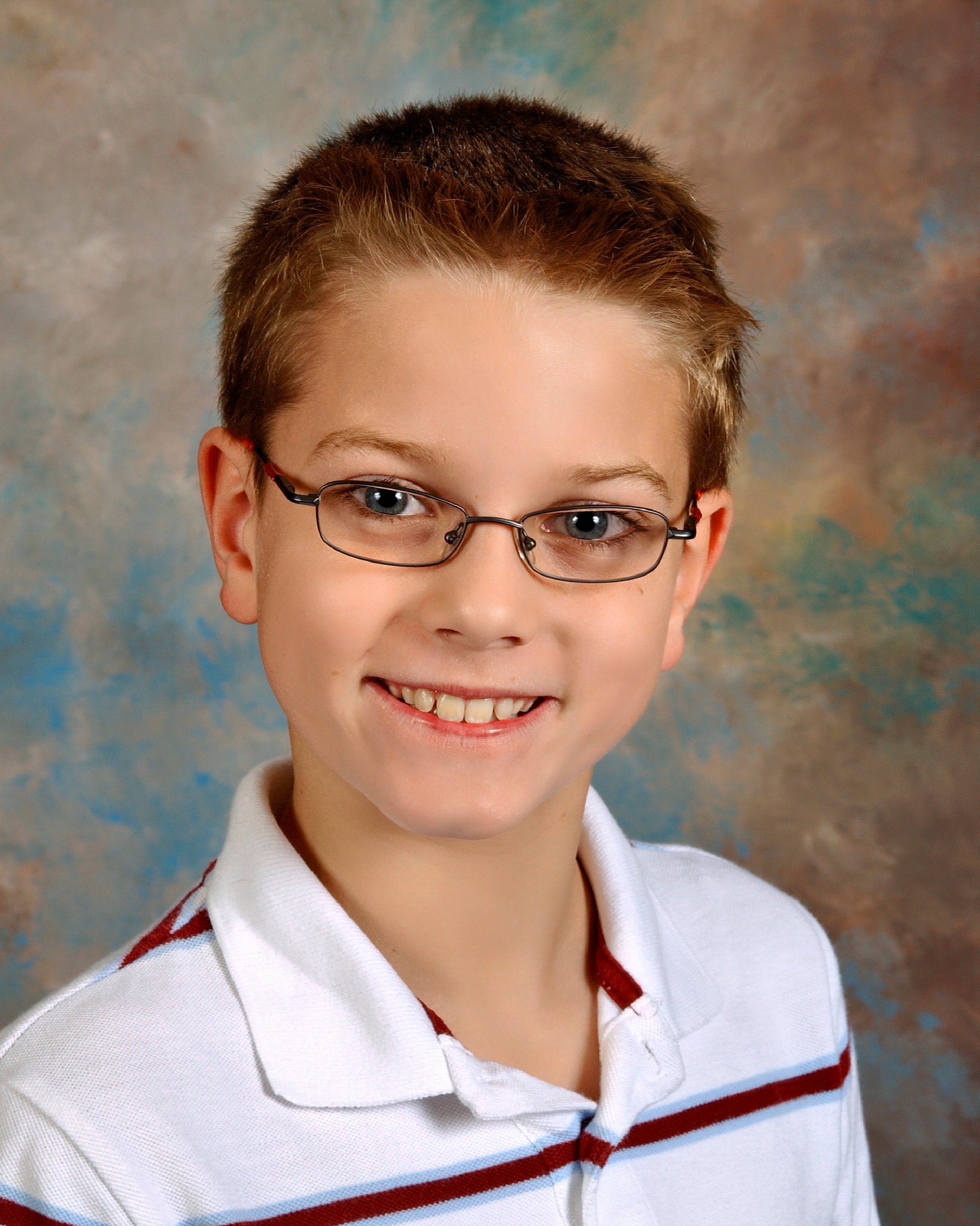
Presets in our Pro Model are now more consistent and conservative to fit the needs of the professional portrait market. Based on customer feedback we received, we have updated the following presets in the Pro Model: Outdoor Portraits, Portraits - Light Background, and Portraits - Dark Background. Results (like this example) may be subtle. Differences include:
- •More consistent across presets in the model
- •More conservative to fit the needs of the professional portrait market
- •Less contrast
- •Less vibrant

March 2022
Exciting March Updates
Model accuracy. AI Preset Selection’s accuracy is even higher than before!
Smaller model size.
It’s faster than ever!
AI Preset Selection Model Split
Originally, we launched AI Preset Selection with one single model. Now, we have two models: Universal & Pro. This means that corrections are even more accurate.
Universal Model:
The Universal Model was created for a wide array of photos. If your business has imagery of people, landscapes, and objects, this model is for you!
Learn More About Presets & Models
Pro Model:
This model was created for professional portrait photographers. This can be used by professional portrait photographers, school and sports photographers, event photographers, etc.
New: People at Night Preset
We added a new preset to our Universal model: People at Night. This category was created because nighttime images are meant to stay dark with minimal enhancement. As you can see in this before/after, the integrity of the night scene is kept! We're enhancing depth and sharpening the image to make it look its best on screen and on print.