Perfectly Clear partners with IMG.LY for automatic image correction in their CE.SDK
Perfectly Clear and IMG.LY have teamed up to bring automatic, one-click image enhancement directly into IMG.LY’s CE.SDK. The result: exposure, contrast, color, tint, skin tones, sharpening, and noise reduction, all corrected in a single pass, no sliders required.
What is IMG.LY?
IMG.LY builds CE.SDK, a creative editor SDK and API that companies use to add photo, video, and design editing to their own products. Instead of building an editor from scratch, teams drop in CE.SDK and get a fully functional front-end, ready to customize. It’s used across print, e-commerce, digital asset management, and social platforms.
The benefits of using IMG.LY and Perfectly Clear together
For your team:
Skip building an image editor from scratch, IMG.LY provides the front-end and SDK
Skip building color-correction, Perfectly Clear is proven tech and handles it automatically
One integration point, two proven technologies
For your customers:
A professional result in one click, no editing skills required
Reliable, consistent correction across every image
A faster path from upload to polished, publish-ready photo
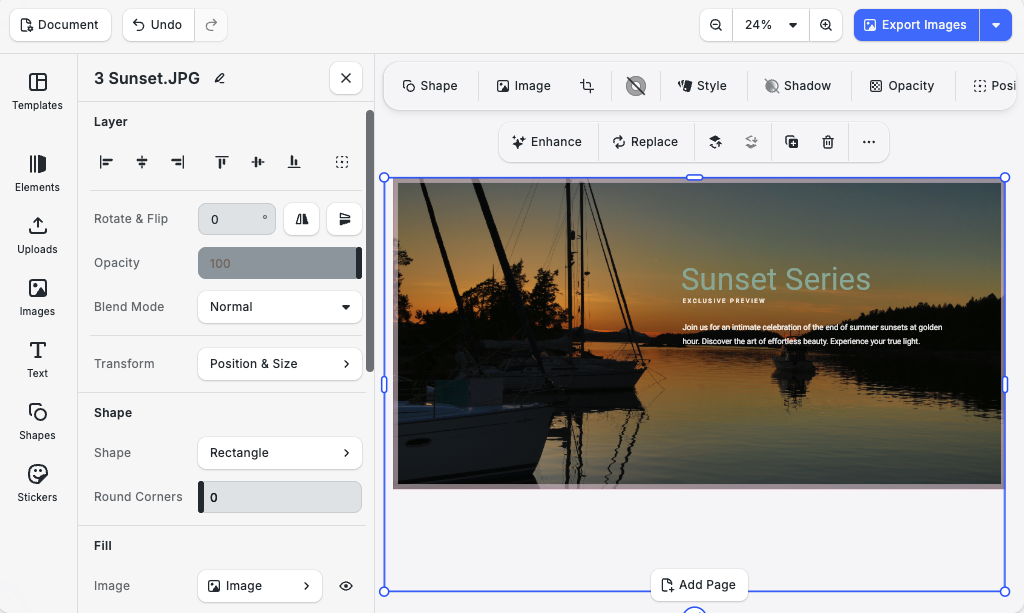
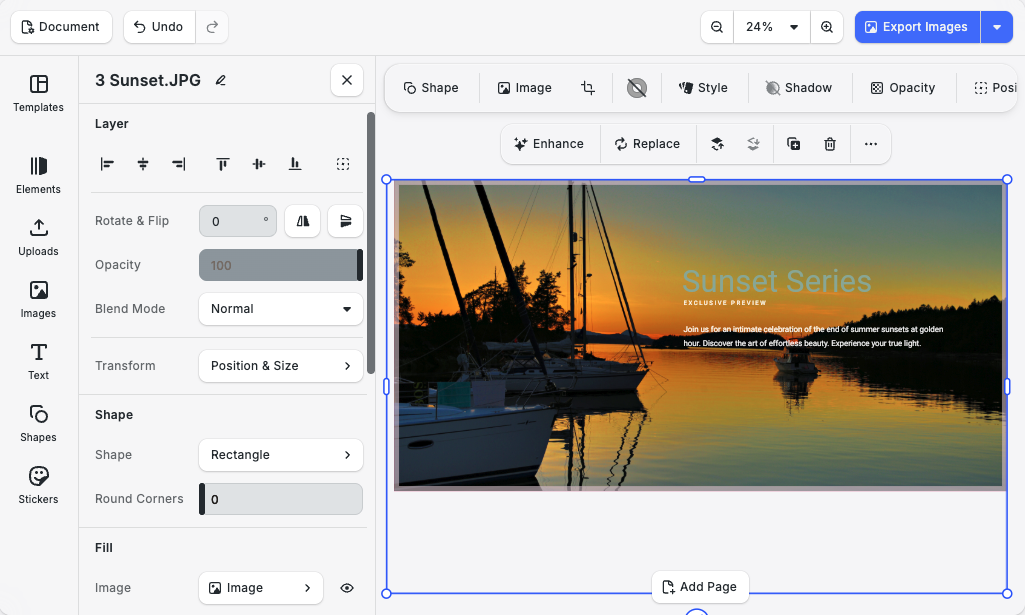
One of the clearest examples: a portrait shot directly against the sun, about as difficult a lighting situation as exists. Even with the brightest possible light source working against it, Perfectly Clear recovers the shot in one click.
Before image example of the Perfectly Clear Plugin.
After image example of the Perfectly Clear Plugin when applying “Enhance”.
How to use Perfectly Clear with IMG.LY?
The integration is built as a plugin inside the CE.SDK editor. Here’s the workflow:
Select an image inside the CE.SDK editor.
Click Enhance.
Perfectly Clear analyzes the image and corrects exposure, contrast, color, tint, skin tones, sharpening, and noise, all in one pass.
The corrected image lands back on the canvas, where you can keep cropping, adding text, and exporting as usual.
This means enhancement isn’t a separate step that interrupts the workflow. It’s built into the same editing session.
The integration is also a working reference for developers. It shows how to register a plugin and canvas action inside CE.SDK, hand an image to an external processing engine, and write the result back as an editable block, the same pattern you’d use for any external image or video processing service.
The IMG.LY and Perfectly Clear integration pairs a flexible editing front-end with automatic, professional-grade image correction. IMG.LY handles the editor experience. Perfectly Clear handles the enhancement. Together, they:
cut editing time
raise image quality
give your customers a better result with less effort
Interested? Contact us to learn more about the integration!